Account Settings
Tradovate behavior
Tradovate monitors have the same Account Settings section, with the account nickname, the auto-flatten time, News Lockout, and trading windows. On both platforms the Block Signals and Closing Only switches sit on the account's row in the Account Manager table. See Tradovate Account Manager.
Click on the Pencil ✏️ icon in the account's Actions column to open the monitor editor. Account Settings sits alongside Monitor Settings.
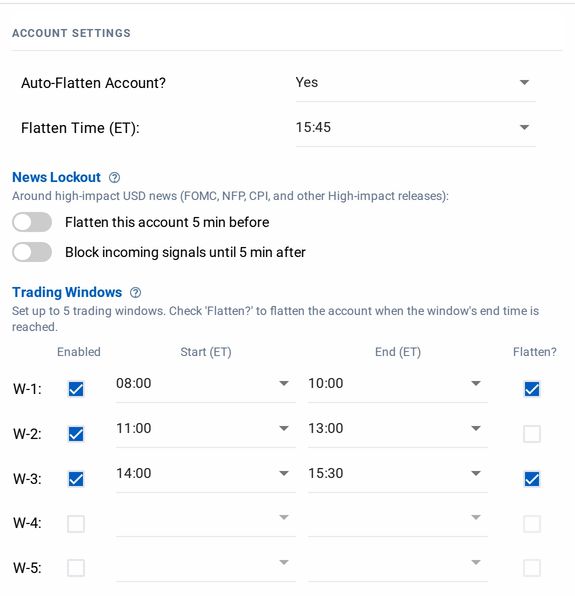
In Account Settings, you can set an Auto-Flatten time, turn on News Lockout, or add up to 5 distinct trading windows.
warning
Trading windows block signals whether or not the monitor is enabled. Auto-Flatten and a window's Flatten After only run while it is enabled. See Auto-Flattening.