Orders
Most order operations support both platforms. NT8 uses /v1/api through the connected add-on and also supports WebSocket RPC. Linked Tradovate accounts use REST-only /v1/api/tv routes. Use the NT8 and Tradovate tabs on each endpoint page for the correct fields, examples, responses, and Tradovate-specific behavior.
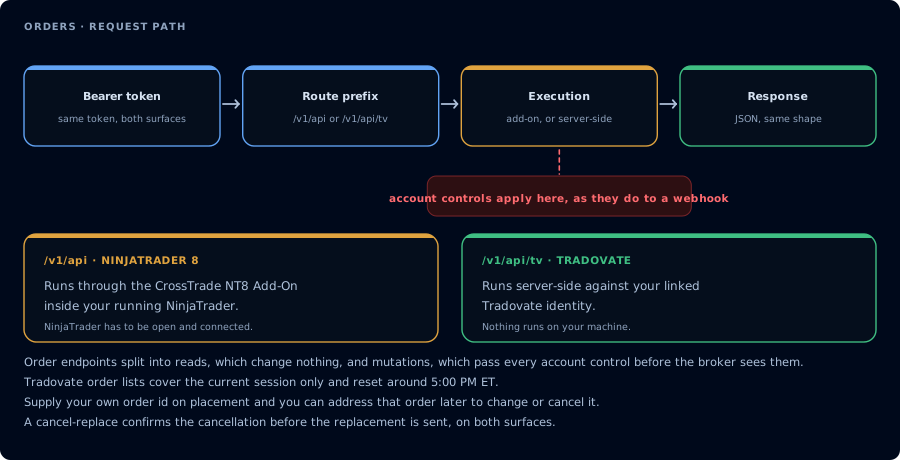
Reads change nothing. Mutations pass every account control before the broker sees them.
- GET All Orders: Get all or only active orders for all accounts
- GET Orders: Get all or only active orders for a specific account.
- GET Order: Retrieve a specific order by the order ID returned when the order was placed.
- GET Order Status: Retrieve the status of a specific order by the order ID returned when the order was placed.
- GET Order Lifecycle: Retrieve the full audit trail of a specific order: every state transition and submission attempt, merged with fills. The NT8 route requires CrossTrade NT8 Add-On v1.13.2 or later; the Tradovate route is server-side.
- POST Cancel Order: Cancel a specific order by the order ID returned when the order was placed.
- POST Cancel Orders: Cancel all orders by account and/or for a specific instrument.
- POST Cancel All Orders: Cancels all active orders across all accounts on the selected platform.
- POST Cancel and Bracket: Cancel all working orders and submit a bracket order in one shot
- POST Place Order: Places an order in a specific account.
- POST Flat Place Order: Flattens any existing positions prior to placing an order.
- POST Replace Order: Cancels order by given ID and then replaces it with a new order.
- PUT Change Order: Change a limited number of fields in an existing order without replacing the order.