Example Indicators
Up/Down Bar Indicator ⬆⬇
This is the fastest and easiest way to get an alert sent to CrossTrade. The indicator will fire a Buy alert when the bar closes up and a Sell alert when the bar closes down which means you don't have to wait long for a signal to come through.
How to use
Step 1 - ⭐ Add to Favorites
Step 2 - Load a Superchart and apply the XT Example Indicator
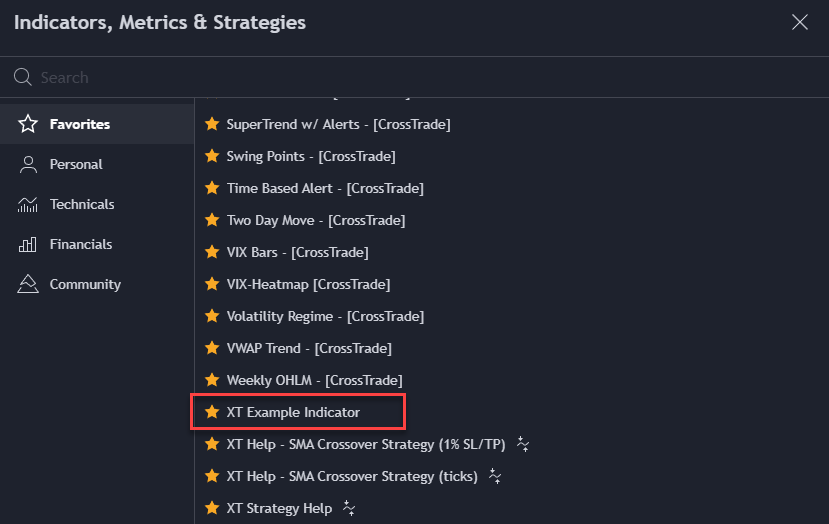
Indicators, Metrics & Strategies
Step 3 - Create an alert and click on the Condition dropdown to select XT Example Indy
Step 4 - Copy and paste your secret key into the Message window.
Remember, the key goes between = and ;
Example: key=1234567891011121314151617181920;
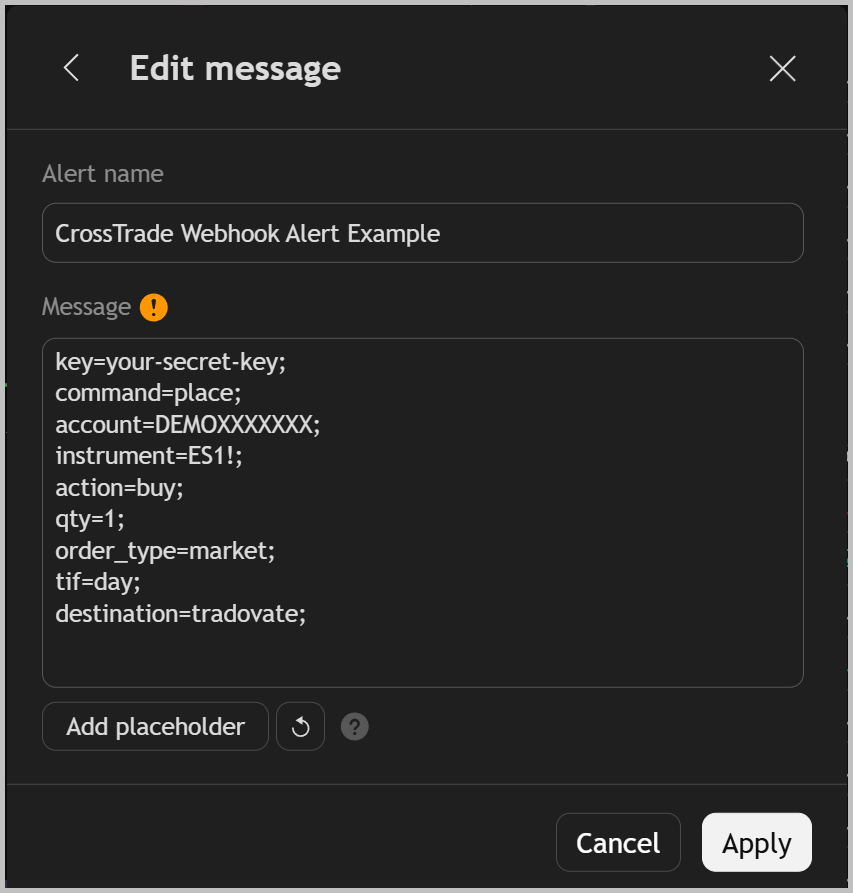
Alert Message window
Final Step: copy and paste your webhook URL into the Notifications tab here:
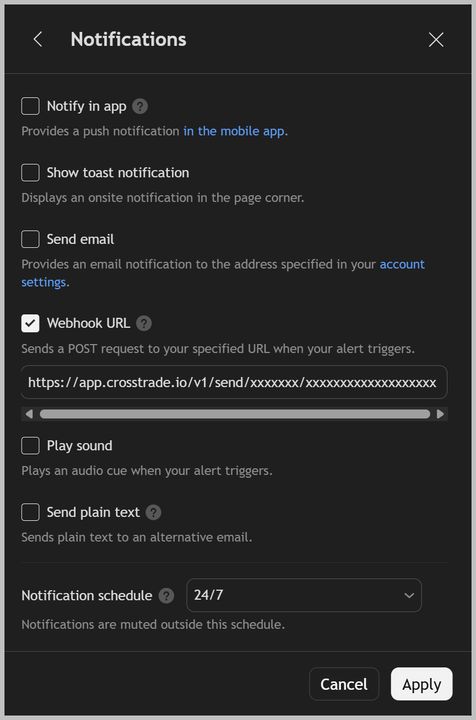
Alert Webhook URL
CrossTrade Indicator Library
For a full list of our Indicators, use the link below.