How to Run a Daily Trading Review with AI in NinjaTrader 8
The daily review is the highest-frequency, highest-value AI workflow for a futures trader. Read-only. Five minutes. Catches revenge trades, silent webhook misses, drawdown close calls, and rejected orders.
Direct answer
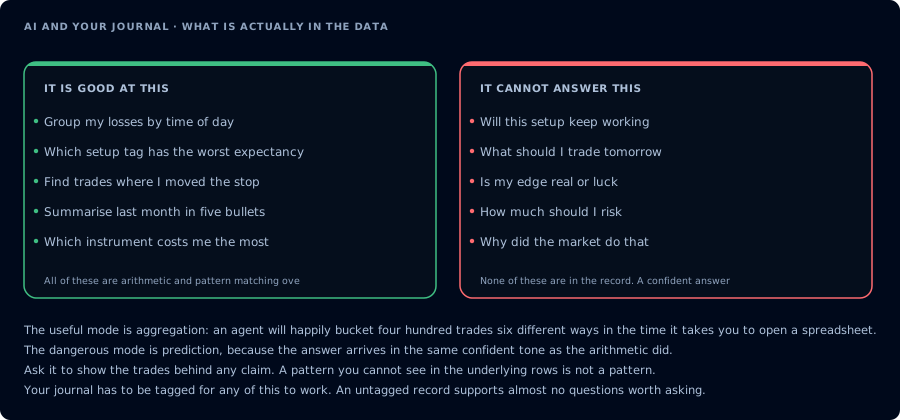
Aggregation it does well. Prediction it cannot do, in the same confident tone.
Authenticate with mcp:read. Save the one-shot prompt below in your prompt library. Run it after every trading session.
Prerequisites
| Requirement | Detail |
|---|---|
| CrossTrade subscription | Elite |
| CrossTrade NT8 Add-On | v1.13.0 or higher |
| MCP client | Any |
| Scope | mcp:read |
| Time | 5 minutes |
The daily review prompt
On <account>, run my daily trading review for today (US Eastern session):

1. Pull today's matched trades from the journal. Report total realized P&L,
   win rate, average win, average loss, biggest loser.
2. Find any trade whose entry timestamp is within 90 seconds of a prior
   losing trade exit on the same instrument (revenge trades). Report them
   and the total P&L contribution.
3. GetWatermarks and GetAccountSummary. Tell me today's lowest watermark and
   the drawdown room I had at that point (use <model> $<amount>).
4. ListOrders for today. Flag any rejected orders and the verbatim reason.
5. Pull TradingView webhook signals for today on this account. Flag any
   signal that did not produce a fill.
6. Pull the last hour of GetActivityLog. Flag any warning entries.
7. Summary: one paragraph on what was different about today. Redact account
   identifiers in the summary.
The agent calls GetJournalTrades, GetWatermarks, GetAccountSummary, ListOrders, GetSignalHistory, GetActivityLog. The response is one screen.
What to do with the review
- Revenge trades. If today had any, decide what trigger reset you need for tomorrow.
- Drawdown room. If you were ever within $200 of the limit, that is a signal to size down or stop earlier.
- Rejected orders. Read the verbatim reason. If it is "max contracts" or "daily loss lockout", you were over the firm's threshold and the firm protected you.
- Webhook misses. A silent miss usually means a payload or account-mapping issue. See Debug TradingView Webhooks with AI.
- Activity log warnings. Usually a connection event or a copier issue. See Debug a NinjaTrader Trade Copier with AI.
Weekly variant
Once a week, expand the review:
For the last 7 trading days on <account>:
- Daily P&L curve
- Win rate, average win, average loss, biggest losers
- Revenge-trade count and P&L per day
- Worst time-of-day window (30-min buckets)
- Any setup with negative expectancy and ≥10 trades
- Cumulative drawdown room used
Redact account identifiers.
Saving the review
If you want a record, copy the agent's response into a markdown file. Some MCP clients (like Claude Code with a workspace) can write the file automatically.
Funded futures notes
A daily review on a funded account is one of the safest things AI can do. Read-only, no orders, no risk to firm rules. The agent can also remind you of EOD-flatten requirements as part of the review.
Related
- Learn: Analyze NinjaTrader Trade Journal with AI
- Learn: Debug TradingView Webhooks with AI
- Learn: Debug a NinjaTrader Trade Copier with AI
- Learn: Prop Firm Risk Checklist with AI
- Main site: Trade Journal