Llama for NinjaTrader 8 Trading: Strengths, Costs, and Best Harnesses
Llama (Meta) is the right choice when you must self-host. The flagship versions handle MCP tool calls competently, especially when routed through a tool-aware harness. For traders with sensitive IP or compliance constraints that prevent cloud LLMs, Llama plus CrossTrade MCP keeps the model local while still using the hosted trading bridge.
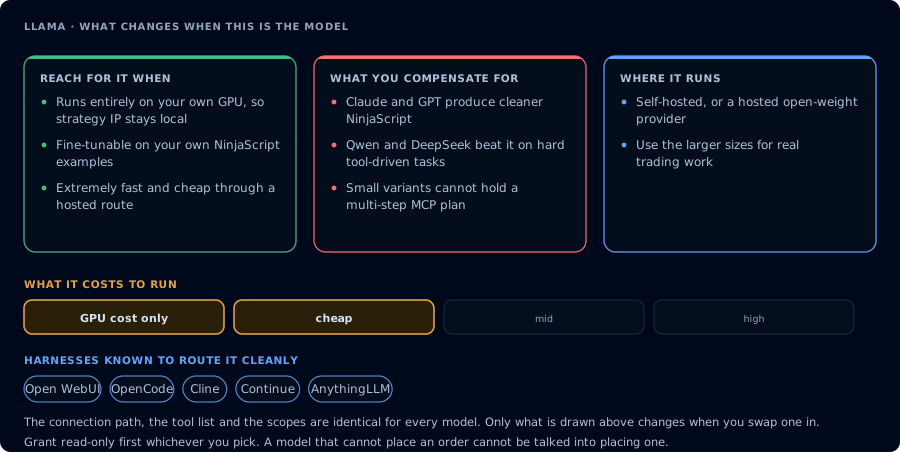
What this model changes, and what stays the same whichever one you pick.
Why Llama for trading
- Self-host. Run on your own GPU; no token leaves your network.
- Open weights. Fine-tune for your strategy domain.
- Bedrock / Together / Groq routing. If you don't want to self-host, multiple cheap API providers serve Llama.
What it's good at
| Task | Notes |
|---|---|
| Privacy-sensitive workflows | Strategy IP stays local. |
| High-throughput inspection | Groq's Llama hosting is extremely fast and cheap. |
| Fine-tuning | If you have curated NinjaScript examples, a Llama fine-tune is feasible. |
What it's not great at
| Task | Why |
|---|---|
| Frontier NinjaScript | Cleaner output from Claude or GPT in most cases. |
| Hardest reasoning | Qwen 3 Coder and DeepSeek R1 generally beat Llama on hard tool-driven tasks. |
Cost and latency
- Self-hosted: GPU cost only. Latency depends on hardware.
- Groq (Llama): sub-second token generation, extremely cheap.
- Together / Fireworks (Llama): cheap, decent latency.
Prompt patterns
Use the standard CrossTrade prompts. Llama responds well to explicit step-by-step instructions and is more reliable when you say exactly which tool to call (vs free-form "do whatever").
Limitations
- Tool-call reliability is harness-dependent. Use OpenWebUI, OpenCode, Cline, Continue, or AnythingLLM for the cleanest experience.
- Smaller Llama variants (7B, 13B) struggle with multi-step MCP plans. Use 70B+ for serious trading workflows.
Pick your harness
This model works through any MCP-capable harness. Recommended pairings: