CrossTrade v1.12 — Strategy Tagging, Home Page Redesign & Automation Wizard
Our biggest update of all time with Strategy Tagging to give your automations position ownership, CancelAndBracket, Auto-reconnect, Automation Wizard and more!

Version 1.12 is our biggest release to date. It introduces true position ownership for automated strategies, a new command that simplifies bracket management, a completely redesigned Home page, and a guided tool for building webhook alert messages without memorizing syntax. If you've been running multiple automations on the same NinjaTrader account and holding your breath every time a new signal fires, this update was built for you.
Strategy Tagging — Position Ownership for Your Automations
This is the headline feature and it solves a problem that every multi-strategy trader has dealt with at some point: Strategy A opens a long position, and then Strategy B fires a sell signal that accidentally closes it. Both strategies were doing exactly what they were told to do, but because NinjaTrader treats all positions on an account as one flat number, there was no way to prevent Strategy B from affecting the position of Strategy A. Until now.
With the new strategy_tag field, you can assign a unique identifier to each of your automations. When CrossTrade receives a signal tagged with strategy_tag=MeanReversion, it only interacts with positions that were opened under that same tag. Your trend-following strategy tagged as TrendFollow, for instance, can't touch the position owned by MeanReversion. No interference, no accidental closes, no more white-knuckle moments watching two strategies fight over the same position.
Simple example using tag: 'this-is-a-tag'
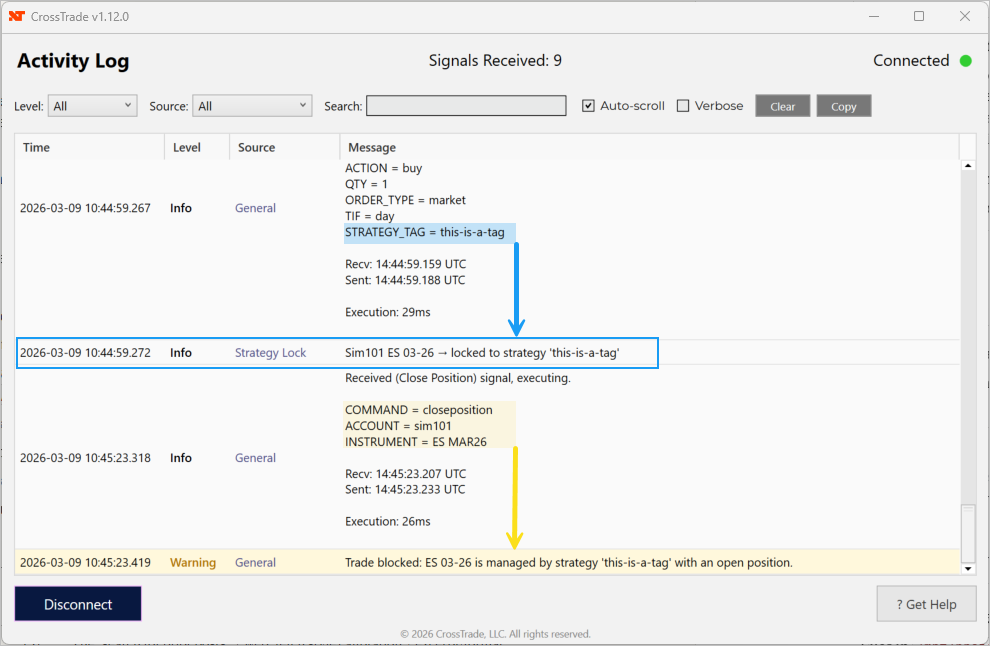
The only way a position can be opened using a strategy tag is if the account is flat for that instrument. Then, it claims the lock using this-is-a-tag. The only way this position can be touched through the XT infrastructure is if an action is passed using strategy_tag=this-is-a-tag. All other actions will be blocked.
This is especially powerful for traders running multiple TradingView alerts on a single prop firm account. Each alert gets its own tag, and CrossTrade keeps the books straight on the backend. Just add strategy_tag=YourTagName to your alert message and you're set.

New Command — CancelAndBracket
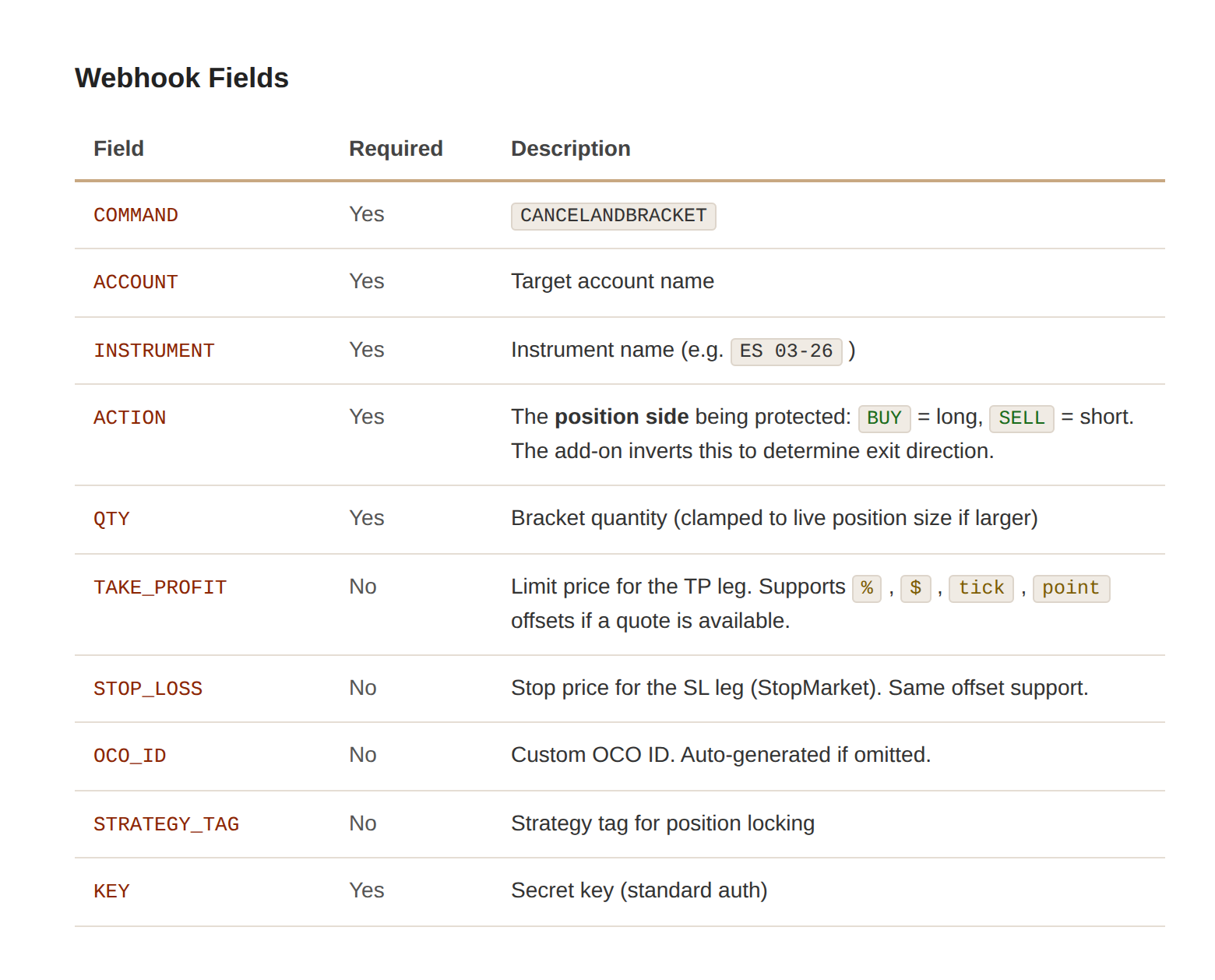
Managing bracket orders around existing positions used to require multiple steps. You'd cancel your pending orders, figure out your current position direction, then submit new stop loss and take profit levels. CancelAndBracket collapses all of that into a single command.
Send a CancelAndBracket with action: "Sell" to protect a long position, or action: "Buy" to protect a short. CrossTrade cancels all pending orders on the specified account and instrument, then immediately applies the new bracket levels you define. It's one signal, one round trip, and your position is protected. This is particularly useful for strategies that dynamically adjust their stop and target levels as price moves — instead of managing cancellations and new orders separately, you fire one command and move on.
Wait-for-Fill Bracket Behavior
If you've been using limit orders with bracket protection, you may have noticed that your stop loss and take profit orders were being submitted immediately — even before the limit order filled. That created situations where you had resting bracket orders protecting a position that didn't exist yet.
Version 1.12 changes this behavior. When you send a limit order with brackets attached, CrossTrade now waits for the fill confirmation before placing the TP/SL orders. This means your brackets are only active when there's an actual position to protect.
ATM Strategy Syntax Update
A small but important quality-of-life change: the field previously named strategy for ATM strategy assignment now also accepts atm_strategy. Both work, but the new name eliminates confusion when you're using strategy_tag in the same command. Having strategy and strategy_tag sitting next to each other in an alert message was a recipe for mix-ups, especially when you're building commands quickly. Now you can use atm_strategy for your ATM template and strategy_tag for position ownership, and the intent of each field is immediately clear.
key=your-secret-key;
command=place;
account=sim101;
instrument=ES1!;
action=buy;
qty=1;
order_type=market;
tif=day;
atm_strategy=your-atm-template;
flatten_first=true;
Redesigned Home Page
The old dashboard tried to be everything at once — command center, webhook trader, stats overview, and education hub all crammed into a single page. It worked, but it was getting crowded. Version 1.12 splits things up.
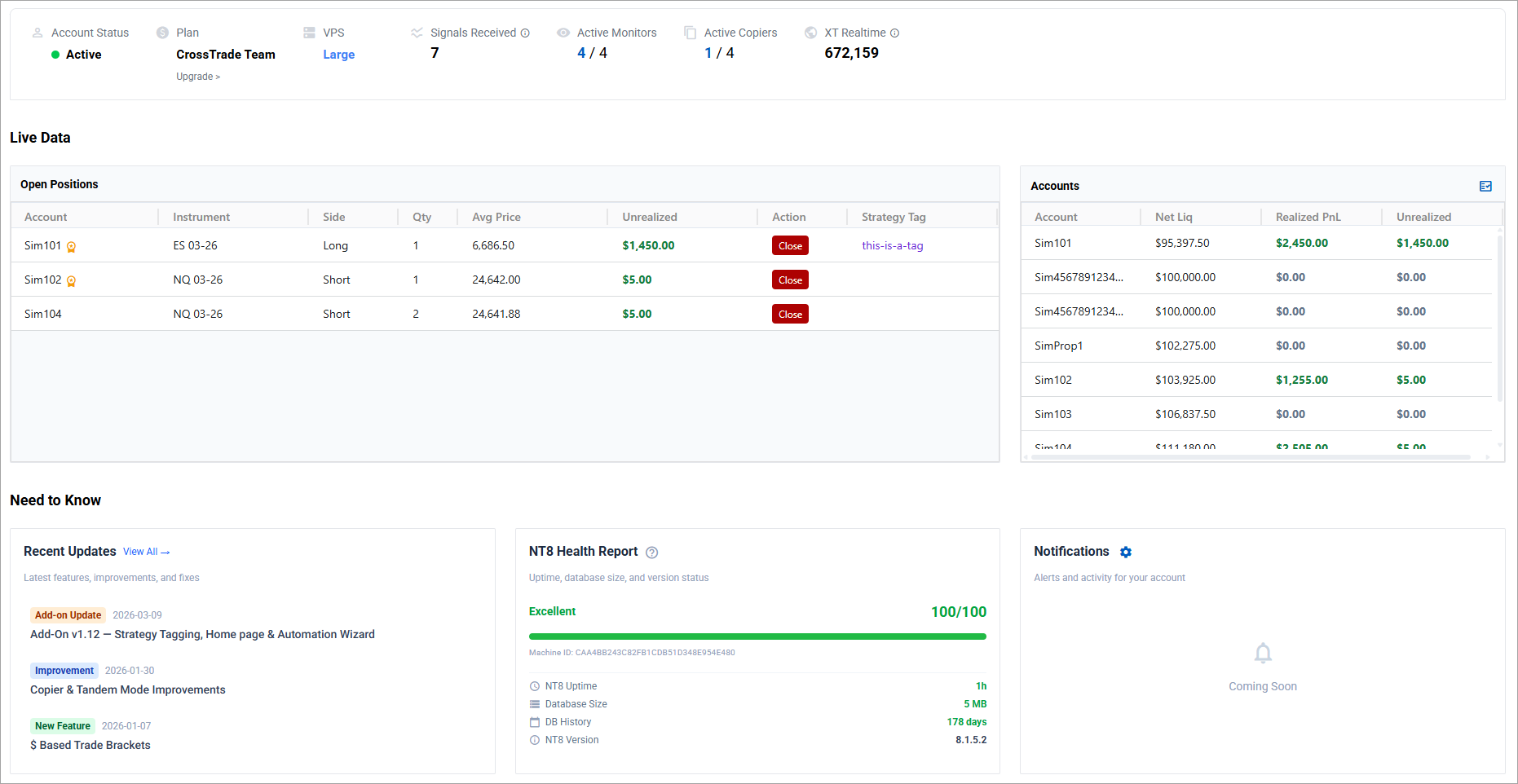
The new Home page is purpose-built as your landing spot when you log in. It surfaces live position data, account summaries, and an NT8 Health Monitor that scores the reliability of your NinjaTrader connection based on uptime and responsiveness. There are quick-access help links, a recent updates feed, and a clean layout that tells you the state of your trading operation at a glance without overwhelming you with controls you don't need right at that moment.
The webhook trader, command examples, alert history, and the new Automation Wizard now live on a dedicated Webhooks page. This separation means the tools you use to build and test alerts aren't competing for screen space with the tools you use to monitor your accounts. Each page has a clear job, and the new navigation header makes it easy to move between them.
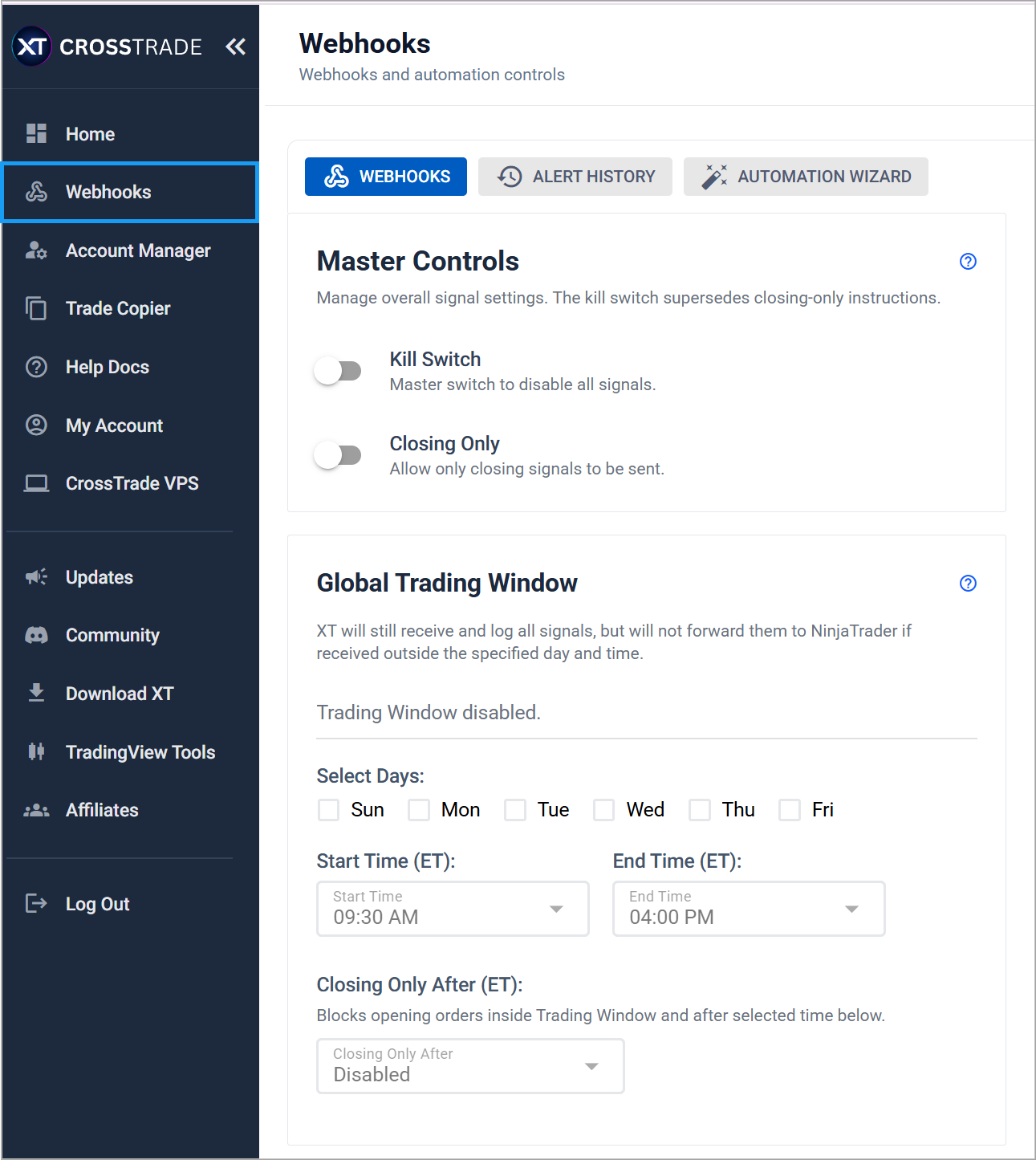
Automation Wizard
Not everyone wants to memorize command syntax, and honestly, you shouldn't have to. The Automation Wizard is a step-by-step tool that walks you through building a complete webhook alert message by selecting options from dropdowns and filling in fields. Pick your action, choose your order type, configure your brackets or enhancements, and the Wizard assembles the command for you. When you're done, copy the finished command and paste it directly into your TradingView alert.
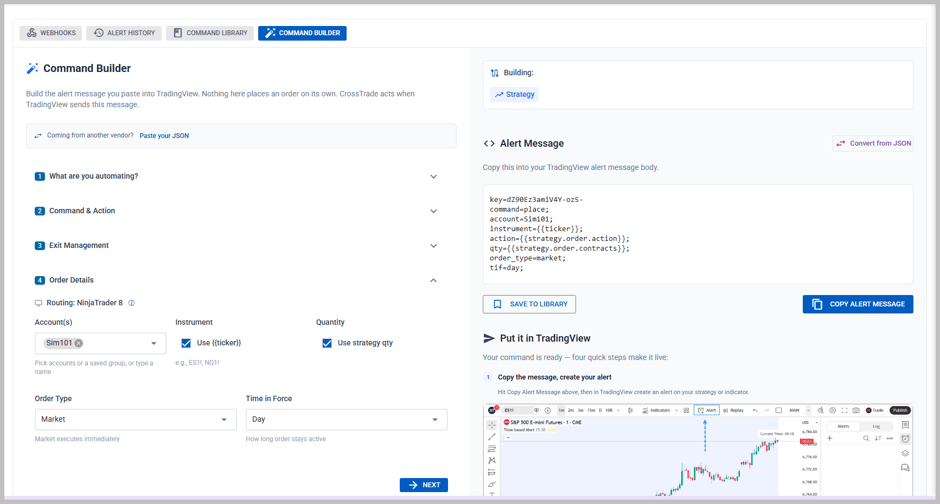
A strategy alert with Full Sync, built in the Command Builder
The Wizard lives on the new Webhooks page alongside your existing command examples and alert history, so you have everything you need to build, test, and monitor your automations in one place.
My Account Improvements
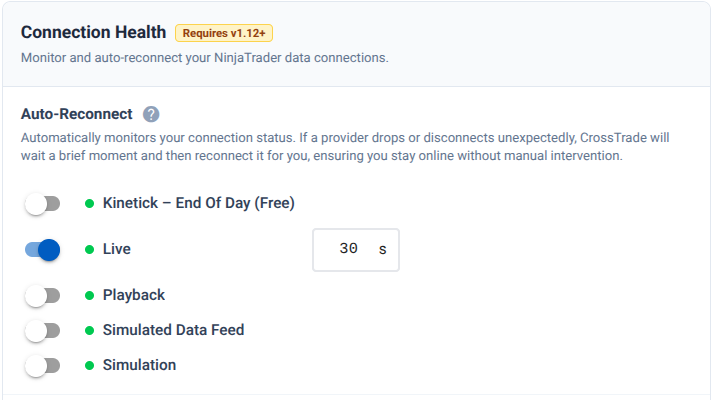
Your account settings page now includes three new configurable options that previously required support intervention. Auto-reconnect handles brief NinjaTrader disconnections by automatically re-establishing the connection without manual restart.
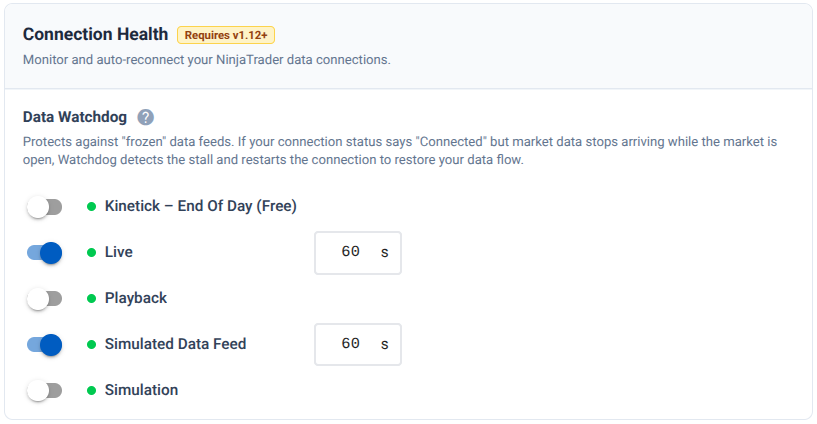
Data Watchdog monitors your incoming market data feed and alerts you if it detects stale or missing data that could impact order execution.
Counter Position Protection prevents signals from inadvertently flipping your position direction when that behavior isn't intended.
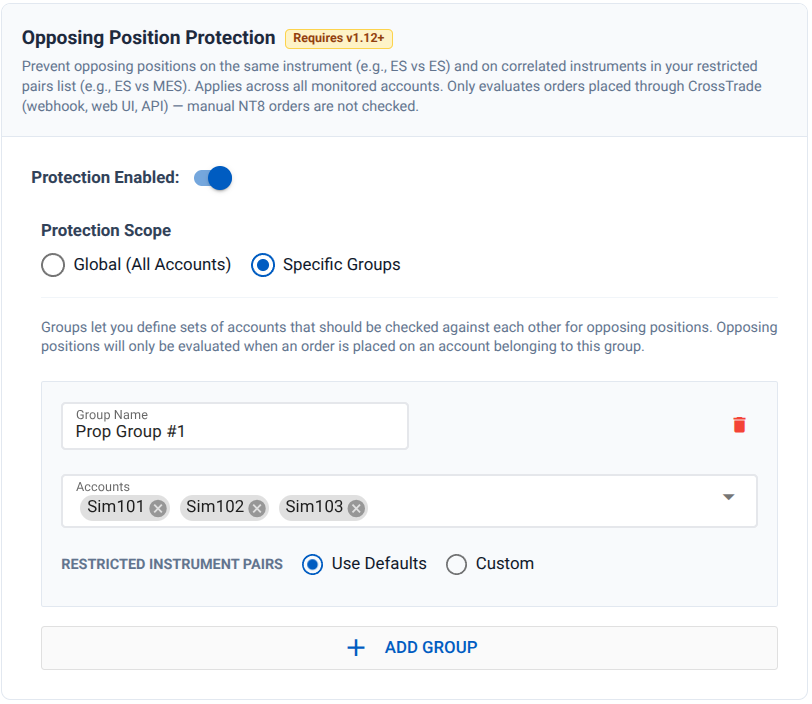
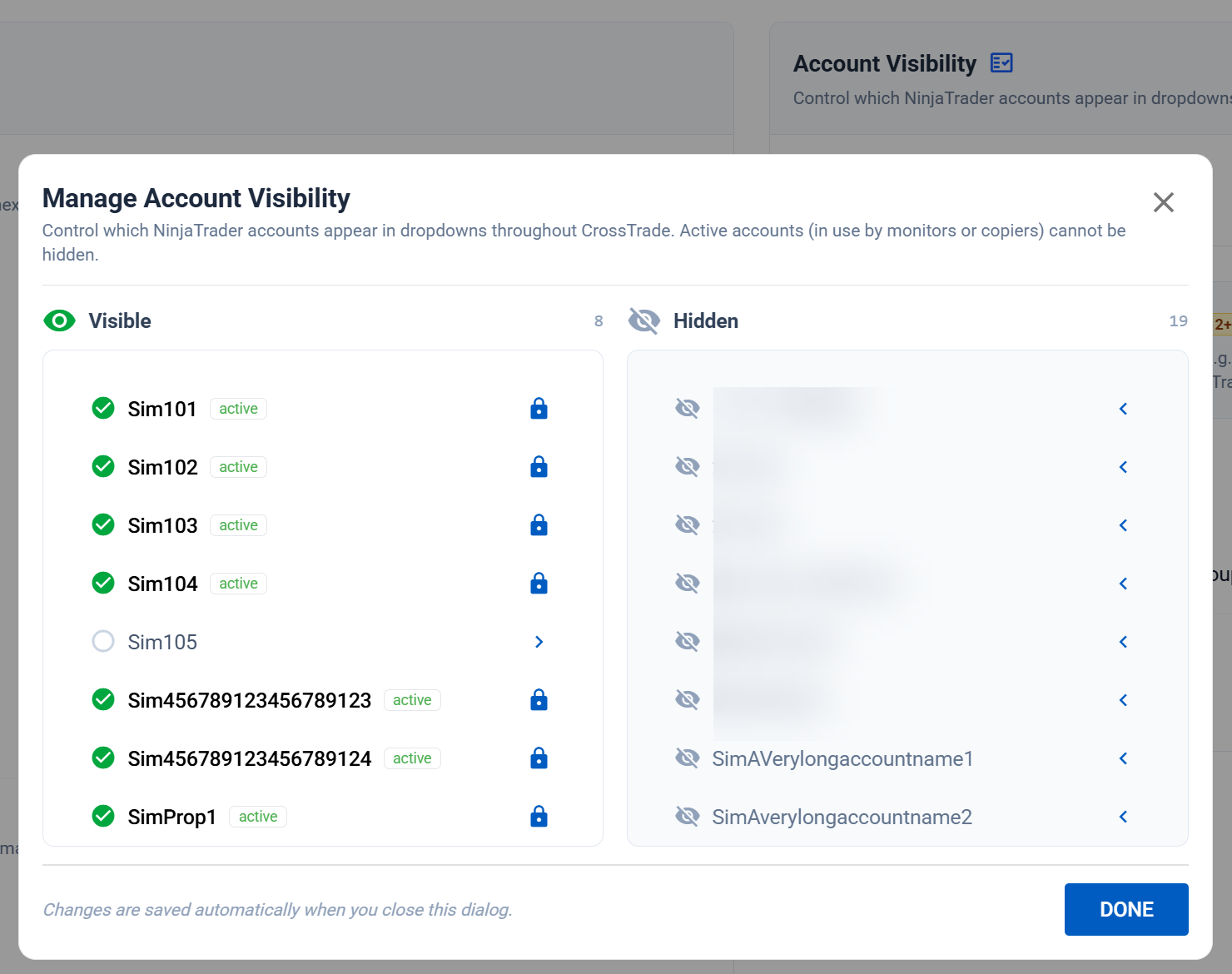
All three can be toggled directly from the web app, along with an improved Visibility Manager for controlling which accounts appear across the platform.
Market Closed Banner
A new banner now appears across the platform when markets are closed, reminding you that CrossTrade does not push trades outside of normal market hours. If you need to test during off-hours, the banner points you toward NinjaTrader's Simulated Data Feed, which allows order execution against simulated price data. It's a small touch, but it prevents the confusion of wondering why a test signal isn't going through on a Sunday afternoon.

Trade Copier & Account Manager Updates
Under the hood, both the Trade Copier and Account Manager received meaningful upgrades in this release. The Account Manager now includes outlier protection, which detects and blocks actions that appear to be triggered by anomalous price data — the kind of errant tick that spikes 500 points and triggers every stop in your book before correcting itself a second later.
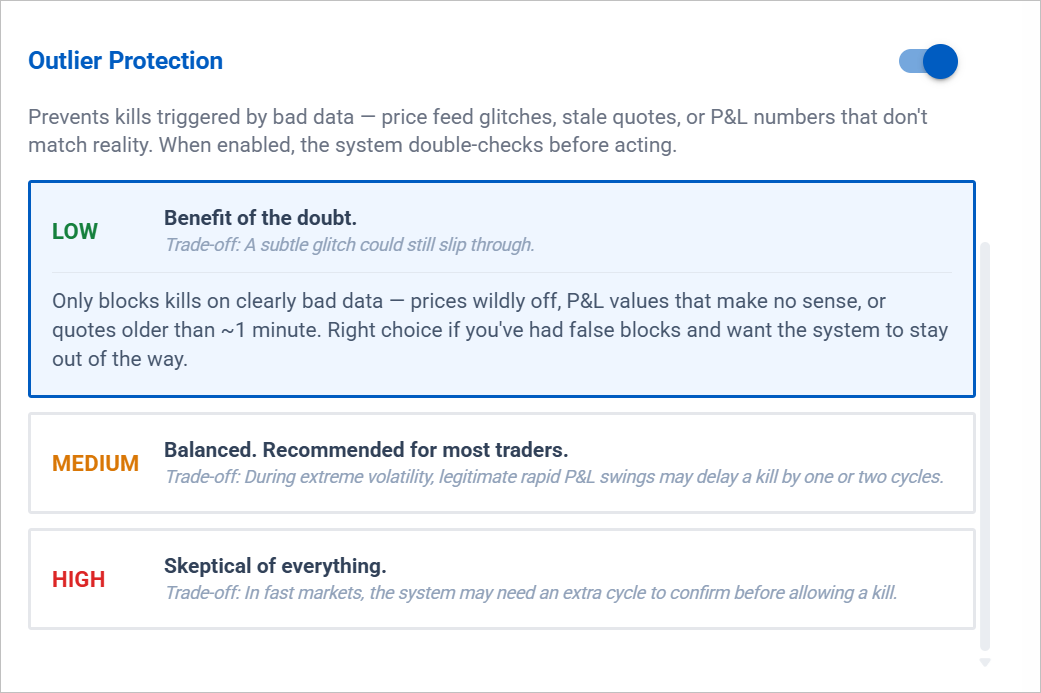
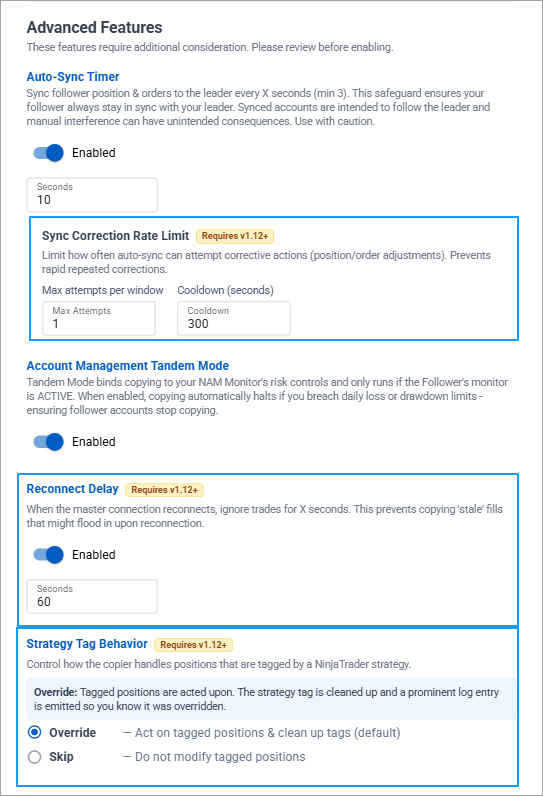
The Trade Copier picks up Fills Only mode, which limits copy actions to confirmed fills rather than order submissions. Strategy Tag handling has been wired into the copier so that tagged positions are respected during copy operations. Reconnect safety delays prevent the copier from immediately resuming activity after a connection recovery, giving the system time to re-establish accurate state before copying resumes. And auto-sync rate limit controls prevent rapid repeated correction attempts that could stack up during volatile conditions.
Coming Soon
We're already deep into the next wave of development. Performance Metrics — including a trade journal, calendar view, and deep analytics — are coming soon, all powered by automatic trade importing from NinjaTrader. Strategy Sync is getting a target quantity upgrade to ensure proper quantity handling between platforms. And the Pro API is expanding with six new REST endpoints and real-time WebSocket streaming for positions, orders, and quotes.
Update Now
Add-On versions prior to v1.12.0 will no longer be supported after May 1, 2026. Please update at your earliest convenience.