Futures Rollover for TradingView Alerts: Moving ES and NQ From December to March
The December roll is Monday, December 14. What changes for alerts on ES1! and on pinned contracts like ESZ6, on Tradovate and NinjaTrader 8, and how to handle positions held through the roll.

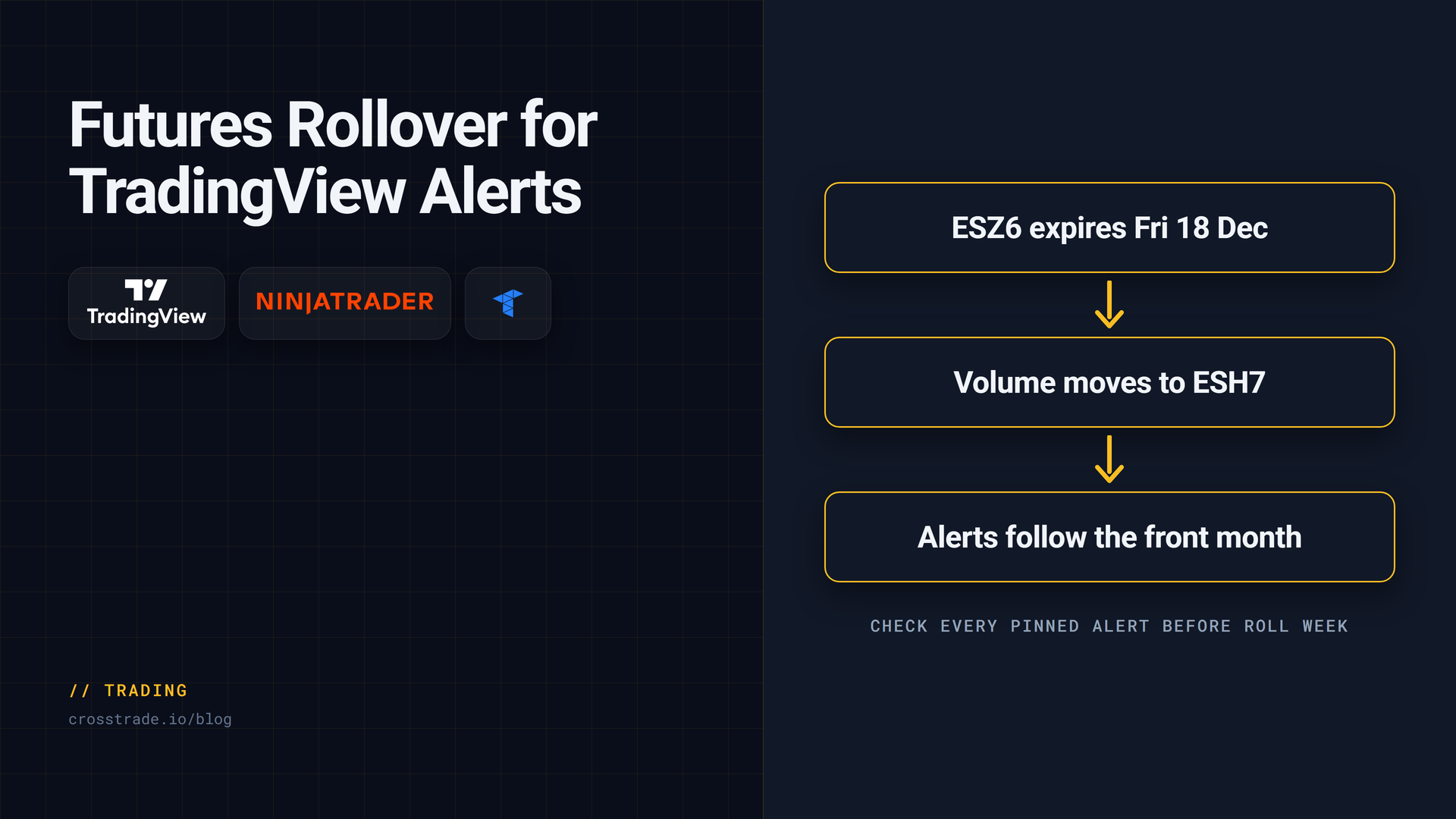
Four times a year the equity index futures roll from one contract month to the next, and four times a year some automated traders find out their alerts were pointing at the wrong month. The December 2026 contracts (ESZ6, NQZ6 and the rest) expire on Friday, December 18. CME's roll date, when the March contract becomes the lead month, is Monday, December 14.
If your alerts trade the continuous symbol ES1!, most of the roll takes care of itself. If any alert names a specific month, or you hold a position across the roll, there is work to do that week. This guide covers both, on Tradovate and NinjaTrader 8.
The December 2026 dates
CME's equity index roll date is the Monday before the third Friday of the expiration month. These apply to the E-mini and Micro E-mini contracts on the S&P 500, Nasdaq-100, Dow and Russell 2000:
| Event | Date |
|---|---|
| Roll date: March becomes the lead month | Monday, December 14, 2026 |
| Last trading day for December contracts | Friday, December 18, 2026 (trading ends at 8:30 AM CT) |
| December contract name on Tradovate | ESZ6, NQZ6, MESZ6, MNQZ6 |
| March contract name on Tradovate | ESH7, NQH7, MESH7, MNQH7 |
| December and March on NinjaTrader 8 | ES 12-26 and ES 03-27 |
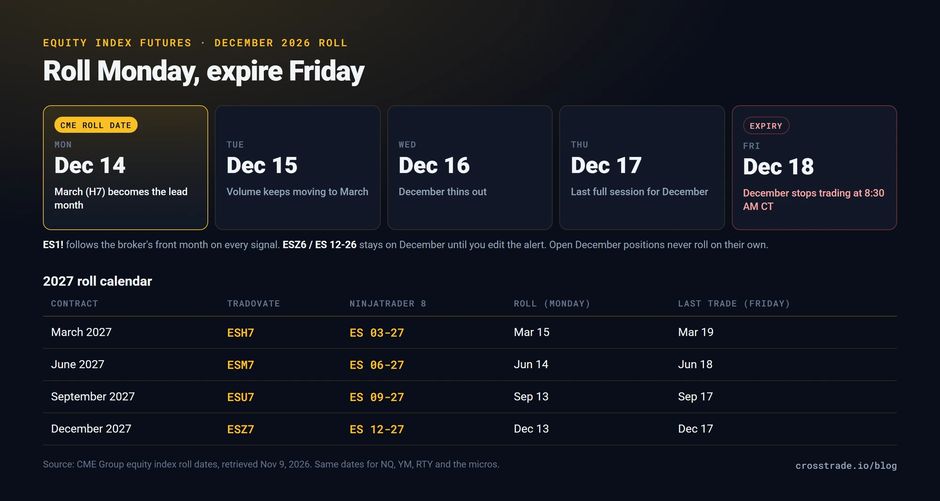
Volume moves to March over the days around the roll date, not all at once. By the end of roll week, December is thin, and on its last morning it's no place for a market order.
How your alert names the contract decides what happens
There are two ways a TradingView alert can name an instrument, and they behave very differently across a roll.
The continuous symbol: ES1!
Most TradingView charts use the continuous contract ES1!, and {{ticker}} in an alert sends exactly that. CrossTrade converts ES1! to a real contract on every signal, using the broker's own view of the front month:
On Tradovate, ES1! becomes the contract Tradovate itself marks as the front month. When Tradovate moves its front from ESZ6 to ESH7, your next signal goes to ESH7.
On NinjaTrader 8, ES1! becomes the contract your own NinjaTrader treats as the front month, which follows the rollover dates in its instrument settings (Tools, then Instruments).
So an alert on ES1! follows the roll without being edited. That is why the instrument format help in Alert History recommends continuous symbols.
A pinned contract: ESZ6 or ES 12-26
An alert that names ESZ6 or ES 12-26 trades December until you change it. Nothing moves it for you. After the roll date, December is the thin contract; near expiry Tradovate can switch it to liquidation-only, where only orders that reduce a position are accepted; and after Friday's expiry the contract no longer exists, so signals fail with a contract-expired or invalid-contract message.
If you keep pinned alerts, put the roll in your calendar and edit every one of them during roll week. TradingView alerts are snapshots, so editing the chart is not enough: change the alert itself (or delete and recreate it) so the new contract is in the message.
Positions held through the roll
Here's the case that catches people. You hold ESZ6 long into roll week. Tradovate moves its front month to ESH7. Your strategy's exit fires with ES1!. Should that sell ESH7, opening a new short beside the December long?
CrossTrade won't do that. When a signal on a continuous symbol resolves to one month while the account still holds a position or working order in another month of the same product, the signal is blocked, and Alert History says so: the continuous contract's expiry doesn't match the existing exposure, and you need to specify the explicit contract. It's the same on NinjaTrader 8 and Tradovate.
That leaves the position for you to handle, and you have three choices:
Be flat before the roll. The simplest. Close December positions by Friday, December 11, and trade March from Monday.
Close the old month explicitly. Send the exit with the explicit contract (instrument=ESZ6; on Tradovate, instrument=ES 12-26; on NinjaTrader 8) and let new entries on ES1! go to March.
Roll the position. On NinjaTrader 8, the Positions tab has a right-click Roll Position, which exits the old month and enters the next with market orders. On Tradovate, close December and open March yourself. Neither broker rolls positions automatically.
If you use strategy sync (sync_strategy=true), being flat across the roll matters even more. Your TradingView strategy still believes it holds the position on ES1!, while the broker holds it in December. Starting March flat on both sides keeps them in agreement.
TradingView's own roll is on a different schedule
TradingView switches ES1! from December to March on its own per-symbol rule, based on when the next contract's volume overtakes the current one. That day isn't necessarily CME's Monday, and it isn't necessarily the day Tradovate or your NinjaTrader moves its front month. The Contract Switch markers on a TradingView chart show exactly when it happened.
Two side effects follow. A strategy's indicators see a price jump at the switch, the size of the December to March spread, unless back-adjustment (the B-ADJ button) is on. And for a day or two the chart you're looking at and the contract your broker trades may be different months. Neither is a problem if you're flat across roll week, which is one more reason to be.
NinjaTrader 8 housekeeping
NinjaTrader doesn't roll anything that's already running. Two things to do after the roll date:
Charts and data. Tools, then Database Management, then Rollover moves workspaces to the new month once today is on or after the rollover date. Merge policy (back-adjusted or not) decides how the historical data joins up.
NinjaScript strategies. NinjaTrader's help guide is direct: running strategies are not rolled forward and must be rolled manually. Stop, change the instrument, and restart them.
ATM templates aren't tied to a contract month and need no change.
A roll-week checklist
This week: search your TradingView alerts for any that name a specific month (Z6, 12-26). Decide whether each one moves to ES1! or gets edited to March during roll week.
Friday, December 11: be flat, or decide how each open position will be closed or rolled.
Monday, December 14: CME's roll date. Edit any remaining pinned alerts to March (ESH7 or ES 03-27). Check that your first ES1! signal of the week went to March in Alert History.
Friday, December 18: December stops trading at 8:30 AM CT. Anything still pointing at it fails from here on.
The 2027 roll calendar
Same rule all year: the Monday before the third Friday.
| Contract | Roll date | Last trading day |
|---|---|---|
| March 2027 (H7) | Monday, March 15 | Friday, March 19 |
| June 2027 (M7) | Monday, June 14 | Friday, June 18 |
| September 2027 (U7) | Monday, September 13 | Friday, September 17 |
| December 2027 (Z7) | Monday, December 13 | Friday, December 17 |
Other products roll on their own schedules: Treasury futures roll before their first notice day, and gold rolls between its active months. Check CME's roll calendar and the contract specs for anything outside the equity indexes.
Turn your TradingView alert into an order
Choose NinjaTrader 8 desktop execution or direct Tradovate cloud routing, then configure the account, order message and exits.
Frequently asked questions
When is the December 2026 ES rollover?
CME's roll date for the December 2026 equity index futures is Monday, December 14, 2026. The December contracts expire on Friday, December 18, with trading ending at 8:30 AM CT. From the roll date, March 2027 (ESH7) is the lead month.
Does ES1! roll automatically in a TradingView alert?
The symbol does. TradingView moves ES1! to the next contract on its own schedule, and CrossTrade converts ES1! to the broker's current front month on every signal. An alert that names a specific month, such as ESZ6, does not roll and must be edited.
Do Tradovate or NinjaTrader roll my open position?
No. Neither broker rolls open positions automatically. Close the old month and open the new one, or on NinjaTrader 8 use Roll Position from the Positions tab.
Why was my ES1! signal blocked during roll week?
The account still held a position or working order in the old contract month while ES1! resolved to the new one. CrossTrade blocks the signal instead of trading the new month beside the old one. Close or roll the old position, or send the signal with the explicit contract.
What does ESZ6 mean?
It's Tradovate's name for the December 2026 E-mini S&P 500 contract: ES for the product, Z for December, and 6 for 2026. March 2027 is ESH7. NinjaTrader 8 writes the same contracts as ES 12-26 and ES 03-27.
New to CrossTrade? Start your free 7-day trial and let continuous symbols follow the roll for you. Questions? Ask us on Discord.
Roll and expiry dates from CME Group's equity index roll calendar, retrieved November 9, 2026. Futures trading involves substantial risk.