How to Automate CME Single Stock Futures with TradingView and NinjaTrader 8
CME Group just announced Single Stock Futures launching this summer — financially settled contracts on 50+ top U.S. companies from the S&P 500, Nasdaq-100, and Russell 1000. For discretionary traders, that's interesting. For automated traders, that's a new frontier.

CME Group just announced Single Stock Futures launching this summer — financially settled contracts on 50+ top U.S. companies from the S&P 500, Nasdaq-100, and Russell 1000. For discretionary traders, that's interesting. For automated traders, that's a new frontier.
If you're already using TradingView to generate signals and NinjaTrader 8 to execute them, the workflow for Single Stock Futures isn't going to look much different from what you're doing with ES, NQ, or any other futures contract. That's the point.
Why Single Stock Futures Change the Game for Automated Traders
The main limitation of automating individual stock trades has always been the overhead: PDT rules, short-selling restrictions, share borrowing fees, settlement timing, and capital requirements that scale linearly with position size. Futures sidestep most of that.
CME's SSF contracts are financially settled — no physical share delivery, no borrowing required to go short. They trade nearly 24 hours a day, meaning your automation doesn't have to wait for market open. And with margin allowing you to control a position up to 6x the notional value, capital efficiency improves significantly compared to buying or shorting the underlying.
For an automated strategy, this means you can run directional plays on individual equities with the same infrastructure you already use for index futures. Same broker, same execution platform, same webhook pipeline.
The TradingView → NinjaTrader Pipeline
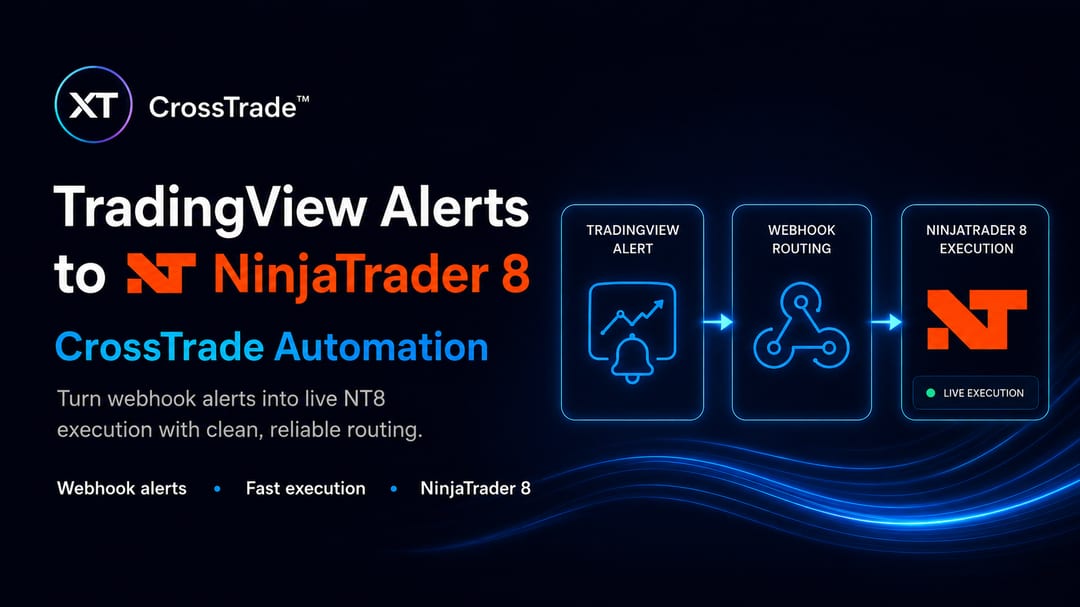
The core workflow is straightforward. You build your strategy or indicator in TradingView using Pine Script. When your conditions are met, TradingView fires a webhook alert with a message payload. That payload hits CrossTrade's webhook endpoint, which translates it into a NinjaTrader order and routes it to your account in real time.
With Single Stock Futures, the instrument changes — but the pipeline doesn't. You'll point your alerts at the relevant SSF contract symbol in NinjaTrader, set your position sizing, and your existing automation logic handles the rest. If you can automate ES, you can automate a Single Stock Future.
CrossTrade Is Ready
CrossTrade is built on NinjaTrader 8 and designed to handle exactly this kind of expansion. As CME Single Stock Futures roll out this summer, we're actively monitoring the contract specs, margin requirements, and platform support to ensure our infrastructure keeps pace. We're committed to being on the cutting edge of this product — if something needs to change or improve to make SSF automation seamless for our users, we'll build it.
Standard and Pro plan subscribers get full webhook automation, REST API access, and account management tools. If you're running a multi-account setup or want to copy trades across accounts when SSF launches, the Pro plan covers that too.
What You Need to Get Started
You need a TradingView account with alert capabilities, a NinjaTrader 8 account connected to a broker that will support CME SSF contracts, and CrossTrade to bridge the two. That's the full stack. No custom coding required unless you want it.
If you're already a CrossTrade user, you're ahead of the curve. If you're not, now's a good time to get set up before these contracts go live.