Do You Need Tradovate's API Add-On to Automate? Fees, the CME License, and the Webhook Route
Tradovate's $25 API add-on, $1,000 minimum and CME license apply to running your own key. What each one covers, why prop accounts are excluded, and how an OAuth webhook route differs.

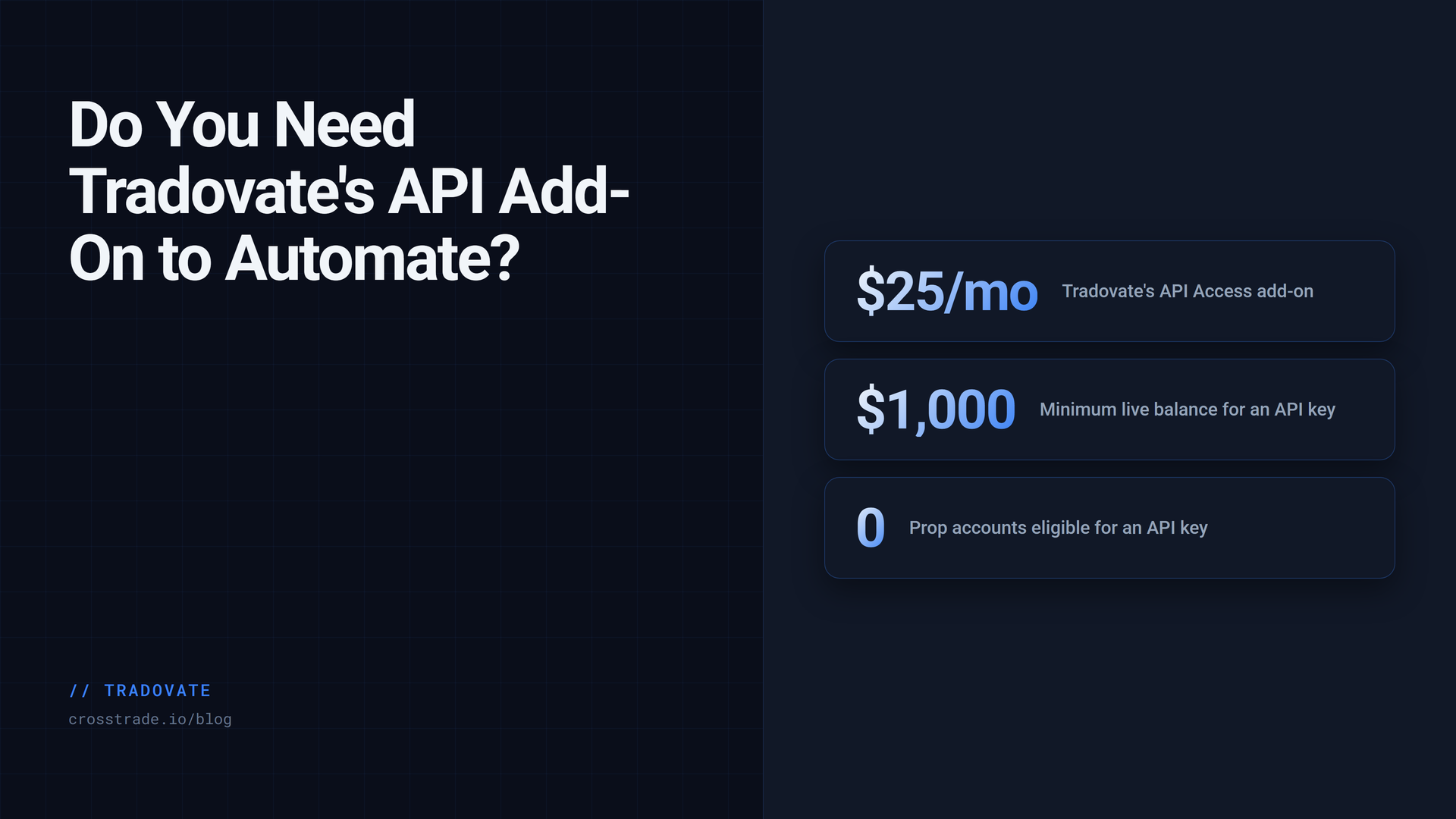
If you have looked into automating a Tradovate account, you have probably run into three numbers: a $25 per month API Access add-on, a $1,000 minimum balance, and a CME license that costs hundreds of dollars a month. You may also have hit a wall that has nothing to do with money: prop firm and evaluation accounts cannot get API access at all.
All three come from Tradovate's own API Access article, and all three are real. But they apply to one specific thing, which is generating your own API key to run your own code against your own account. Most traders who want to automate Tradovate do not need that, and it is worth being precise about why, because "skip the API fee" has become a marketing line that hides what you are actually giving up.
What the Tradovate API add-on is for
Tradovate's API Access add-on gives a live brokerage account an API key. With that key, software you write or run yourself can read account and user data, place and manage orders, and build whatever you want on top. Tradovate's stated requirements, as of the article's September 2026 update, are a live, funded brokerage account with at least $1,000 in it, and an active $25 per month subscription to the add-on. Prop firm and evaluation accounts are not eligible.
The add-on does not include real-time market data. Tradovate is explicit about that. To stream real-time or historical market data through the API, you have to become a sub-vendor with the CME by signing the CME Information License Agreement. Tradovate's article does not quote the fee, but traders on Tradovate's own forum have been told by staff that the license is only required for market data over the API, not for order placement or account reads. If you only use the API to place orders and read your account, the sub-vendor requirement does not apply.
So the honest cost of doing it yourself is $25 a month for orders and account data, a $1,000 live balance, no prop accounts, and a separate CME agreement if your code needs a price feed from Tradovate.
What a webhook route does instead
CrossTrade connects to Tradovate a different way. Instead of you generating an API key, you authorize CrossTrade once on Tradovate's own sign-in screen. CrossTrade is an authorized Tradovate OAuth partner, so the access is granted at the partner level rather than the account level. CrossTrade never sees your password, stores only an access token that it refreshes in the background, and you can revoke the link any time from your account settings.
Three things follow from that.
You do not generate an API key, so there is no API Access add-on to subscribe to on your side. You sign in, approve, and the link is live.
Prop firm and evaluation accounts link. Every prop account, including a funded one, lives on Tradovate's Demo environment, so you use Link Demo with the username and password your firm issued. A personal brokerage login uses Link Live. You can link several identities at once, one per firm login, side by side.
Nothing runs on your machine. Orders go from CrossTrade's servers to Tradovate's cloud API over HTTPS. There is no desktop application to install and no VPS to rent. Your alerts reach your account whether or not your computer is on.
From there, automating a TradingView alert is one routing line in the alert message:
key=your-secret-key;
command=place;
account=PROP1234;
instrument=MES1!;
action=buy;
qty=1;
order_type=market;
take_profit=40 ticks;
stop_loss=20 ticks;
destination=tradovate;
destination=tradovate; sends the order to your linked Tradovate account instead of NinjaTrader 8. The take profit and stop loss are placed as one broker-hosted bracket, linked as an OCO on Tradovate's servers, so they survive your computer being off. The webhook route is included on every CrossTrade plan.
What about the CME license?
This is the part that gets glossed over, so here is the full picture.
CrossTrade does not relay Tradovate market data to you, and it does not use your Tradovate login's market data entitlements for anything. That is a deliberate boundary. When an alert says take_profit=40 ticks;, CrossTrade converts those 40 ticks into a real price server-side, from its own live pricing service, at the moment the order is sent. The same service prices unrealized P/L for the Account Manager and watches the trigger for a profit-triggered trailing stop. If fresh pricing is not available, the alert fails closed rather than guessing.
What that means for you: your TradingView chart is where your signals come from, and TradingView already has its own data agreement with you. CrossTrade turns the alert into an order. Neither of you needs a CME sub-vendor license for that to work.
What it does not mean: CrossTrade is not a quote feed. The Tradovate REST API and the Tv_* MCP tools have no bid, ask, or last-trade endpoint, and the WebSocket streams Tradovate order, fill, and position events but not market data. If you are writing your own application that needs prices to decide when to trade, bring your own data. The CME license question is one you have to answer for that data source, not for the order route.
Choose by what places the order
There are really two kinds of Tradovate automation, and the fee question sorts itself out once you know which one you are.
If TradingView, or any service that can send an HTTP request, is deciding when to trade, you want the webhook route. The alert fires, the order goes, and the whole path is hosted. No API add-on, no $1,000 minimum, prop accounts included.
If your own code is deciding when to trade and needs to read your account programmatically, you have two options. Tradovate's own API with the add-on, the balance requirement, and your own market data. Or the CrossTrade REST API, which reaches your linked Tradovate account server-side with the same bearer token you would use for NinjaTrader 8, supports prop accounts because the link is OAuth rather than an API key, and is included on the Pro plan. The same linked account is also reachable by an AI client through hosted MCP, which is the third door for the same room.
Either way, the order lands on the same Tradovate account, and every order CrossTrade places carries Tradovate's isAutomated flag, which Tradovate requires on automated orders. There is nothing to configure.
A note on "workarounds"
You will find services that connect to Tradovate by asking for your username and password and logging in as you. That works until Tradovate changes something, and it means a third party holds credentials that your prop firm considers yours alone. Tradovate's partner API program is closed to new applicants, which is why some newer tools have gone that way.
An OAuth link is not a workaround. It is the mechanism Tradovate built for third-party access, with a consent screen, a revocable token, and no password sharing. When a funded account depends on the connection, that distinction is the whole point.
Frequently asked questions
Do I need to buy Tradovate's API Access add-on to use CrossTrade?
No. You link your account through Tradovate's OAuth screen and CrossTrade's partner access does the rest. There is no API key to generate.
Can a prop firm evaluation account be automated this way?
Yes, if your firm allows automation. Firm accounts live on Tradovate's Demo environment and link with Link Demo. Check your firm's rules on bots and copiers before you connect; several firms restrict them.
Do I need a CME data license?
Not for sending orders from TradingView through CrossTrade. The CME sub-vendor requirement applies to streaming market data through Tradovate's API. CrossTrade does not relay Tradovate market data, and it prices your bracket offsets from its own pricing service.
Does the $1,000 minimum apply?
Tradovate requires it for its own API key. It is not a CrossTrade requirement, and it does not apply to the webhook route.
Can I get quotes from CrossTrade for my own bot?
No. There is no quote endpoint on the Tradovate REST surface. Use your own market data for entry decisions, then send orders through the API or a webhook.
What is the difference between the webhook route and the REST API?
The webhook route is for alerts: something else decides, CrossTrade executes, and it is included on every plan. The REST API is for your own code reading and writing your account, and it is a Pro feature. Both reach the same linked account.
Build against the right account route
Use REST and WebSocket APIs for NinjaTrader 8 or linked Tradovate accounts. Start with authentication and a read-only account request.
Start with one Demo alert
Link a Demo identity, paste the alert above with your key and account name, and fire it once. Alert History will show the order with a Tradovate badge, and the fill will be in your Tradovate platform. If you are new to CrossTrade, start a free 7-day trial and ask anything in the CrossTrade Discord.
CrossTrade is execution and automation software, not a broker, financial adviser, or trading strategy. Tradovate's fees and requirements are set by Tradovate and may change; the figures above are from Tradovate's API Access article as updated in September 2026. Futures trading involves substantial risk. Test every automated workflow in simulation and verify orders at your broker.