
How to Test a Trade Copier on Funded Accounts Before Going Live
A copied entry is not a complete test. Verify protection, sizing, recovery, logs, rules, and rollback before using a copier with a live or funded account.

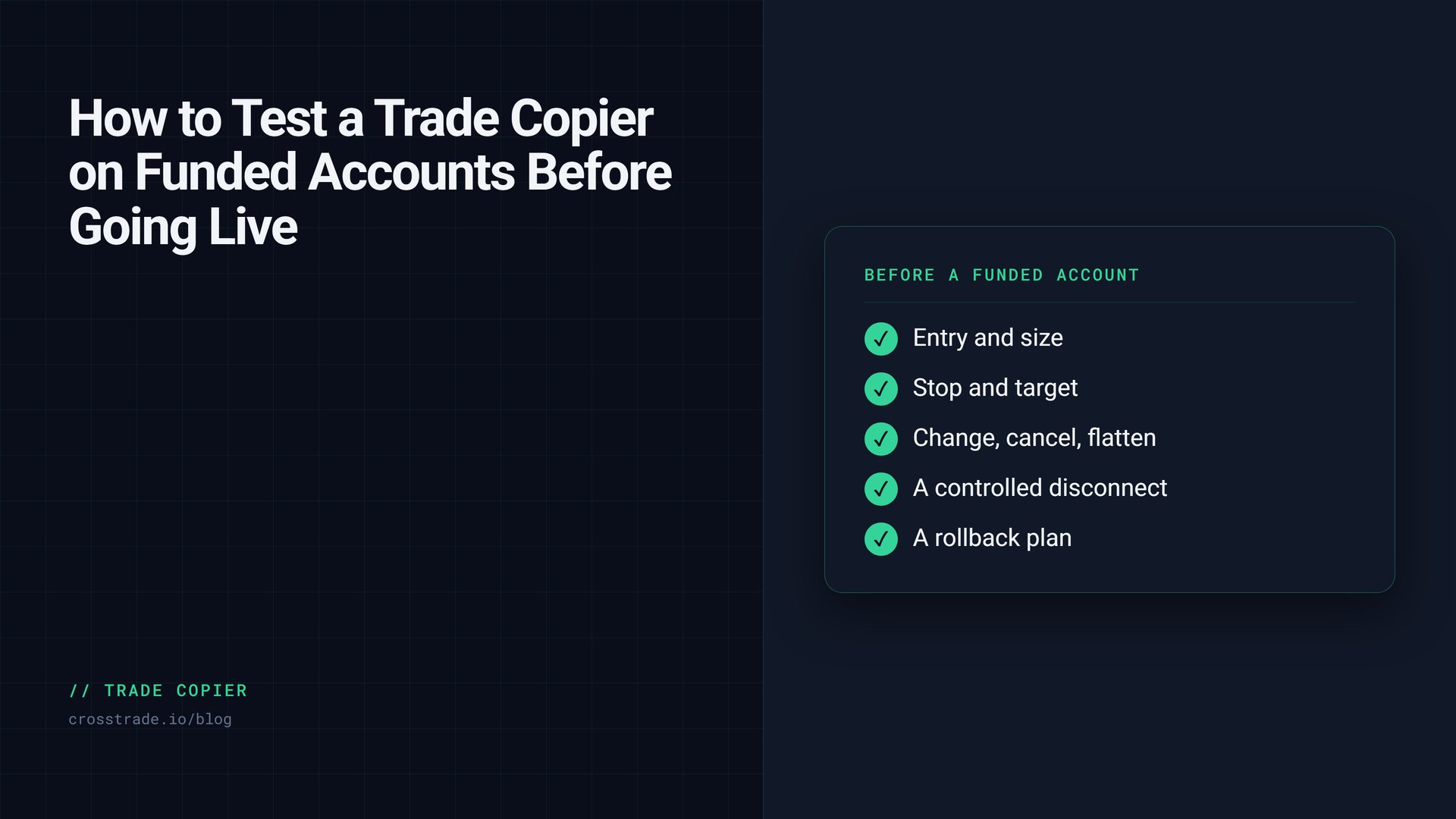
The source account entered. Every follower entered. The first test looks perfect.
That is where many copier tests stop.
The harder failures happen later. A protective order does not reach one follower. A cancel leaves a working order behind. A connection returns with the source flat and a follower still holding a position. The trader discovers the mismatch only after the workflow is live.
A trade copier is not ready because it repeated an entry. It is ready when you have tested the complete lifecycle, know what evidence the system records, and have a rollback procedure you can execute under pressure.
Start with the rule question
Technical compatibility does not prove that a funded-futures firm permits your exact workflow.
Before connecting an evaluation or funded account, verify the current official terms for:
- Automated trading
- Trade copying
- Account ownership
- Coordinated activity
- Maximum position size
- Permitted instruments and hours
- Prohibited strategies
- Drawdown and daily loss calculations
- Differences between evaluation, simulated funded, and live funded programs
Rules can change. A vendor integration page, forum post, or old support screenshot is not the source of truth. Use the firm’s current official pages and save the date you checked them.
CrossTrade does not promise firm approval, evaluation passage, payouts, or trading results.
Map every account before the first test
Write down the intended configuration outside the copier interface.
Record:
- Source account
- Follower accounts
- Account type and connection
- Copy mode
- Quantity rule for each follower
- Maximum quantity
- Instrument filters
- Instrument replacements
- Inversion rules
- Strategy or order filters
- Expected stop and target behavior
- Expected cancel and flatten behavior
Then compare that record with the rendered configuration.
Exclude every account that is not part of the test. Start with one simulation source and one simulation follower. Use one-to-one sizing and the smallest useful quantity.
Understand the copy mode
Order and execution copy modes do not observe the same event.
An order-based workflow focuses on order lifecycle replication. An execution-based workflow reacts to fills. The practical differences appear around partial fills, order changes, cancellations, protective orders, and timing.
Do not choose a mode because one word sounds faster or safer. Test the exact order types and management behavior your real strategy uses.
Read the CrossTrade copy modes guide before testing.
Test the complete order lifecycle
Run each test separately so a failure has one likely cause.
Entry
Test every entry type the workflow uses. Confirm source and follower quantities, action, instrument, and account.
Stop loss
Confirm the follower protective stop exists, uses the expected quantity, and remains attached to the intended position or workflow.
Profit target
Confirm the target exists and closing behavior matches the configured mode.
Change
Modify a working order. Confirm whether the follower order changes, stays unchanged by design, or is replaced according to documented behavior.
Cancel
Cancel one working order. Check every follower for a remaining working order.
Flatten
Use the supported flatten procedure. Verify positions and working orders across source and followers.
Partial fill
When the platform and test environment permit it, review how the copier handles a partial source fill and later fills. If you cannot reproduce the condition safely, document the expected behavior and the limitation.
A test passes only when the final account state matches the expected result.
Test quantity and instrument rules separately
A one-to-one test does not prove a ratio or replacement rule.
After the basic lifecycle passes, change only one variable:
- Add a second follower
- Apply a quantity ratio
- Set a follower maximum
- Replace one instrument
- Enable inversion
- Add one filter
Repeat the lifecycle after each change. If a test fails, revert the last change before investigating.
Test a controlled disconnect
A copier also needs a recovery test.
Perform this only in simulation with a written procedure.
- Confirm the source and follower start in the expected state.
- Create a test order or position.
- Interrupt the relevant connection in a controlled way.
- Restore the connection.
- Inspect source and follower positions.
- Inspect working orders.
- Inspect copier status and logs.
- Follow the documented reconciliation process before resuming.
Do not submit another automated order while account state is unknown.
Read connection resilience and Trade Copier troubleshooting before the test.
Know what evidence you can retrieve
A support request is easier to resolve when it contains a timeline instead of a conclusion.
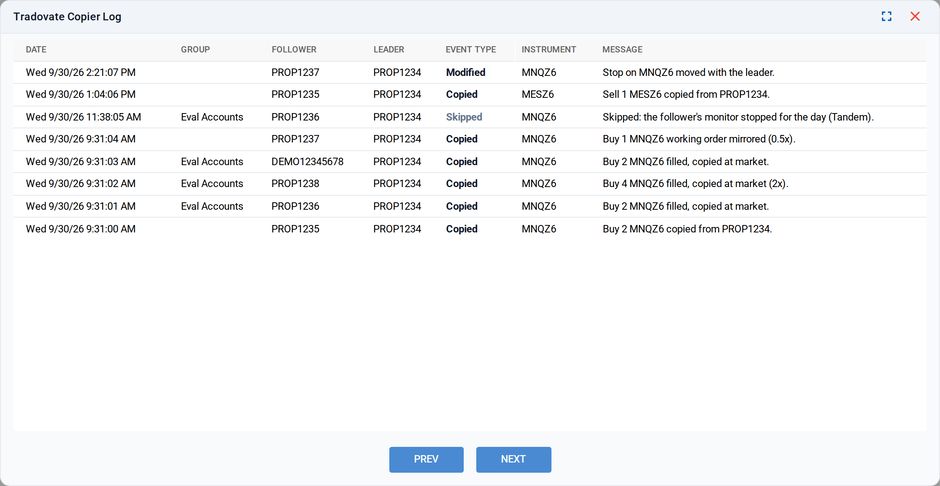
The copy log: what was copied, skipped or corrected, per follower
Save:
- Date, time, and timezone
- Source and follower account names
- Instrument
- Order type and quantity
- Source order or execution identifier
- Follower order or execution identifiers
- Copier group and copy mode
- Expected behavior
- Actual behavior
- Error or block reason
- Relevant signal, activity, or copier logs
- Position and working-order state after the event
Do not post account identifiers or trading records publicly. Use the vendor’s secure support channel.
The CrossTrade Trade Copier incident explainer helps turn the evidence into a structured report.
Check what happens when protection disagrees
The highest-risk mismatch is not always a missing entry. It can be a follower position without the expected protection.
Your operating procedure should answer:
- Who can stop new copier dispatch?
- How do you identify every affected account?
- How do you cancel an unintended working order?
- How do you flatten a position when required?
- How do you avoid a second automation process acting on the same accounts?
- Who decides when state is reconciled and automation may resume?
Practice the procedure in simulation. Do not improvise it for the first time on a funded account.
Prepare a rollback before migration
If you are moving from another copier, do not run both products live against the same source and follower map. Duplicate automation can create duplicate or conflicting orders.
A safer migration is:
- Record the old configuration.
- Disable its live dispatch.
- Build a minimal CrossTrade simulation copier.
- Test every lifecycle action.
- Add one rule at a time.
- Verify the account map again.
- Cut over once.
- Keep a procedure to stop CrossTrade and reconcile accounts before restoring the prior system.
Use the migration guide for the full sequence.
Review support and documentation, not only the demo
A polished demo can show the happy path. A serious evaluation also asks:
- Does the vendor document copy modes?
- Does it document connection recovery?
- Can support see dispatch, accept, reject, and mismatch evidence?
- Are order-type limitations explicit?
- Are platform requirements clear?
- Is there a test environment?
- Does the product explain what it cannot guarantee?
Compare the operational workflow, not a copied-trade counter or community-member total. Those numbers do not tell you whether your next follower stop will exist.
The CrossTrade verification path
CrossTrade provides:
- Trade Copier configuration
- Copy modes
- Connection resilience
- Troubleshooting
- Pre-live verification checklist
- Incident explainer
- MCP-assisted copier diagnostics
These tools do not guarantee identical fills or prevent every failure. They give the trader a repeatable way to test, inspect, and explain the workflow.
Frequently asked questions
How do I test a trade copier before using it on a funded account?
Start with one simulation leader and one simulation follower at one-to-one size. Test every entry type, the stop, the target, a change, a cancel and a flatten, and confirm the final state of both accounts after each test.
Do prop firms allow trade copiers?
Some do, some allow copying only between your own accounts, and some prohibit copiers. Check your firm's current official rules and note the date you checked them.
What should I test besides the entry?
Protective orders, cancels, flattens, partial fills and a controlled disconnect. Most copier failures show up after the entry, when a stop is missing or a cancel leaves an order behind.
What if a follower misses a copy?
Stop new automation, check every account's positions and working orders, and reconcile before resuming. Save the order IDs and times for support.
Can I run two trade copiers on the same accounts?
No. Two copiers acting on the same leader and followers can place duplicate or conflicting orders. Disable one before the other goes live.
Make the first live decision boring
After the simulation checklist passes and the firm’s current rules permit the workflow, begin with the smallest quantity the account and strategy allow. Monitor the complete entry and exit. Stop new automation if the source and follower disagree.
The goal is not to feel confident because the dashboard looks active. The goal is to know what happened, what should happen next, and how to stop safely when the state is unclear.
CrossTrade is not affiliated with or endorsed by any prop firm named in linked material. This article is operational guidance, not legal, compliance, or trading advice.