
XT Alert Builder.
Zero JSON. Zero code. Full automation.
Turn any TradingView indicator into a CrossTrade-compatible strategy with backtesting. Configure entries, exits, brackets, and advanced options from dropdown menus — the Alert Builder writes your alert message for you.
How it works
The Alert Builder is a TradingView strategy that wraps around your existing indicators. It reads their signals, packages them into CrossTrade-compatible alert messages, and lets you backtest the combination — all without writing a line of code.
key=your-secret-key;
{{strategy.order.alert_message}}
That's it. The Alert Builder packages all your order details — account, instrument, action, quantity, brackets, advanced options — into the alert_message variable automatically. New to CrossTrade webhooks? Read how the pipeline works →
Plug in any indicator
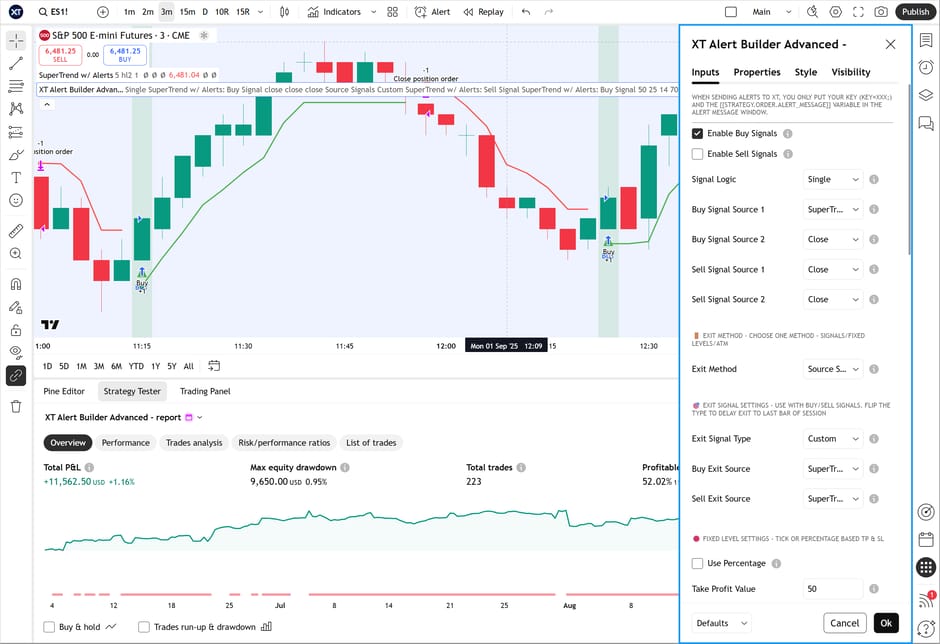
Add your indicators to the chart, then select their signals as Buy, Sell, and Exit sources from the Alert Builder's input dropdowns. Supports any indicator that produces a signal — RSI, MACD, custom Pine scripts, anything.
Run the strategy as long-only, short-only, or bidirectional with separate entry and exit conditions for each direction.
Trading hours & session filters
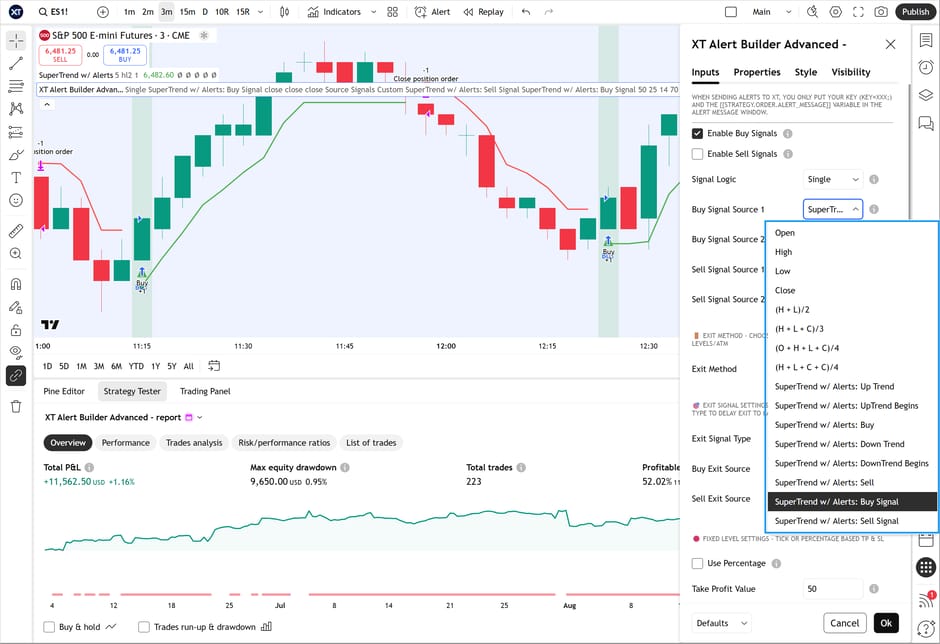
Define start and end times for your trading session in Eastern time. Choose which days of the week to trade. Signals outside your window are ignored automatically.
Select "Session End" as your exit type and the strategy sends a Close Position command at your defined end time — no overnight positions, clean slate every session.
NinjaTrader account & instrument
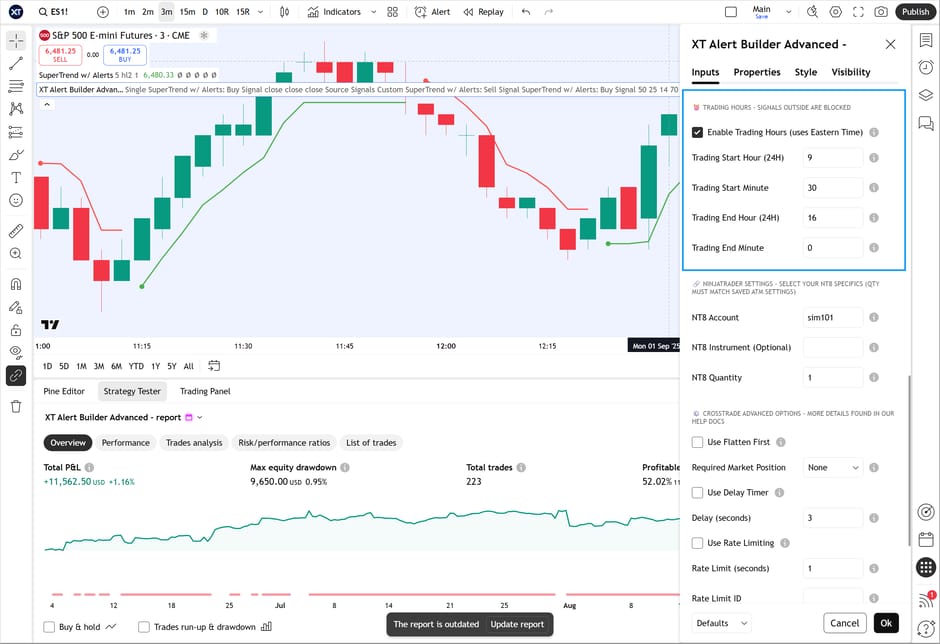
Specify your NT8 account, instrument format, and position size directly in the strategy inputs. Supports multi-account placement — separate account names with commas and one alert hits them all.
Instrument field is optional. CrossTrade automatically converts TradingView continuous contracts (ES1!) to the correct NT8 format.
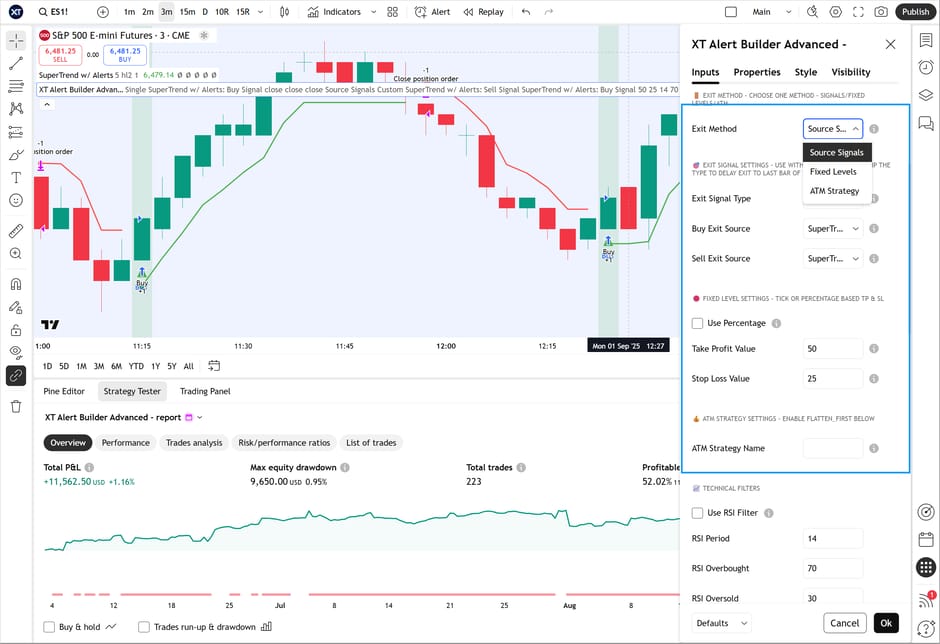
Three ways to manage exits
Source Signals: Exit based on any indicator signal — enter on one indicator, exit on another for fully custom strategies.
Stop/Take Profit: Set tick or percentage-based stop_loss and take_profit levels. Plotted on TradingView for backtesting, automatically added to your alert message.
ATM Strategy: Attach a NinjaTrader ATM template for trailing stops, auto-breakeven, and multi-target management.
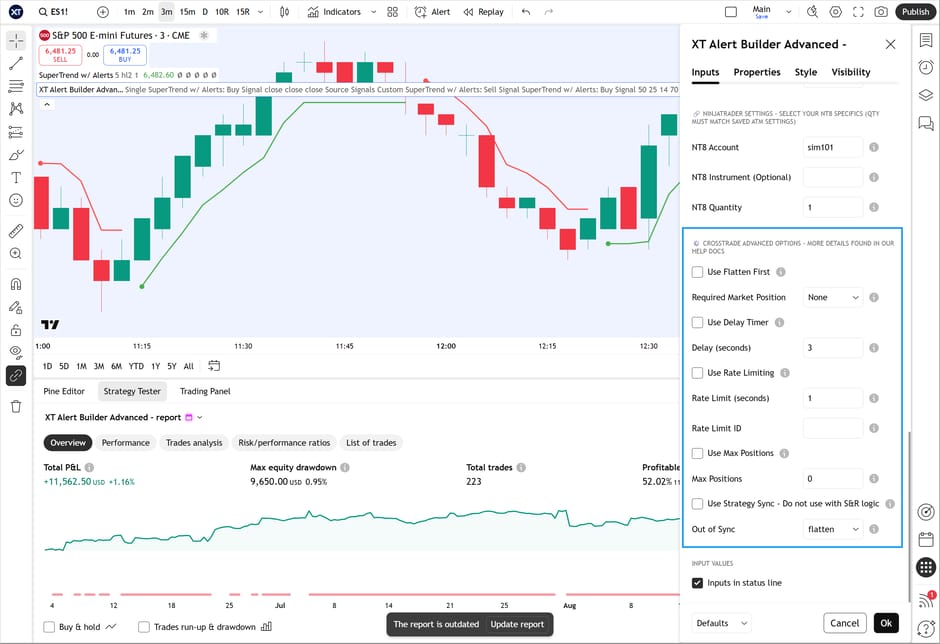
CrossTrade advanced options built in
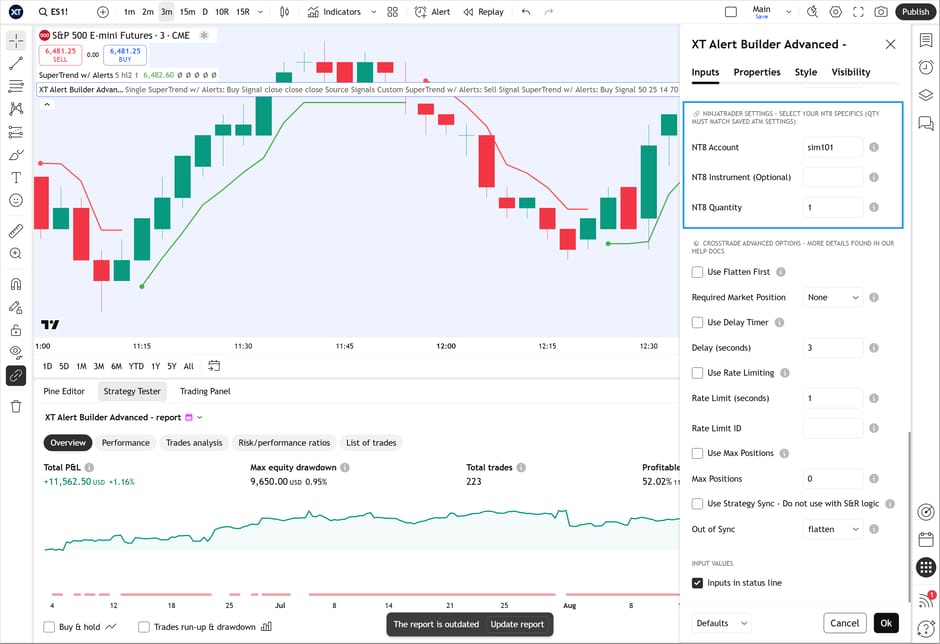
All the advanced webhook features — flatten_first, require_market_position, delay_timer, rate_limiting, max_position, and Strategy Sync — are configurable directly in the strategy inputs. No need to manually type them into your alert message.
Strategy Sync prevents state drift between TradingView and NinjaTrader by comparing expected vs. actual positions before every order executes.
Five versions
All versions generate CrossTrade-compatible alerts and work with the same {{strategy.order.alert_message}} variable. Pick the one that matches your strategy.
XT Alert Builder
Signal source integration, ATM strategy attachment, basic trade management, and full CrossTrade compatibility. Everything you need to automate a single-indicator strategy. No CrossTrade account required.
XT Alert Builder Advanced
Everything in Free plus complex exit conditions, technical filtering, exit management control (TradingView vs NinjaTrader handling), and all CrossTrade advanced options as strategy inputs.
XT Alert Builder Flex
Up to 3 stop and target source signals for multi-target strategies. Built for indicators that scale out of positions at multiple levels.
XT Alert Builder Custom
Copy and paste custom alert command payloads directly instead of building them from inputs. Full flexibility to craft individual entry and exit payloads — the strategy packages them into the alert message automatically.
XT Alert Builder Single-Sided
Long-only or short-only strategies without TradingView's required offsetting exit interfering with your orders. Run multiple entries per session with exits deferred to your trading window close.
Advanced, Flex, Custom Commands, and Single-Sided versions are invite-only for active CrossTrade subscribers. Email us with your TradingView username to get access.
The Free version is available to everyone on TradingView — no account required.
Subscribe to unlock all five versions plus the full CrossTrade platform.




