What is the CrossTrade Trade Desk?
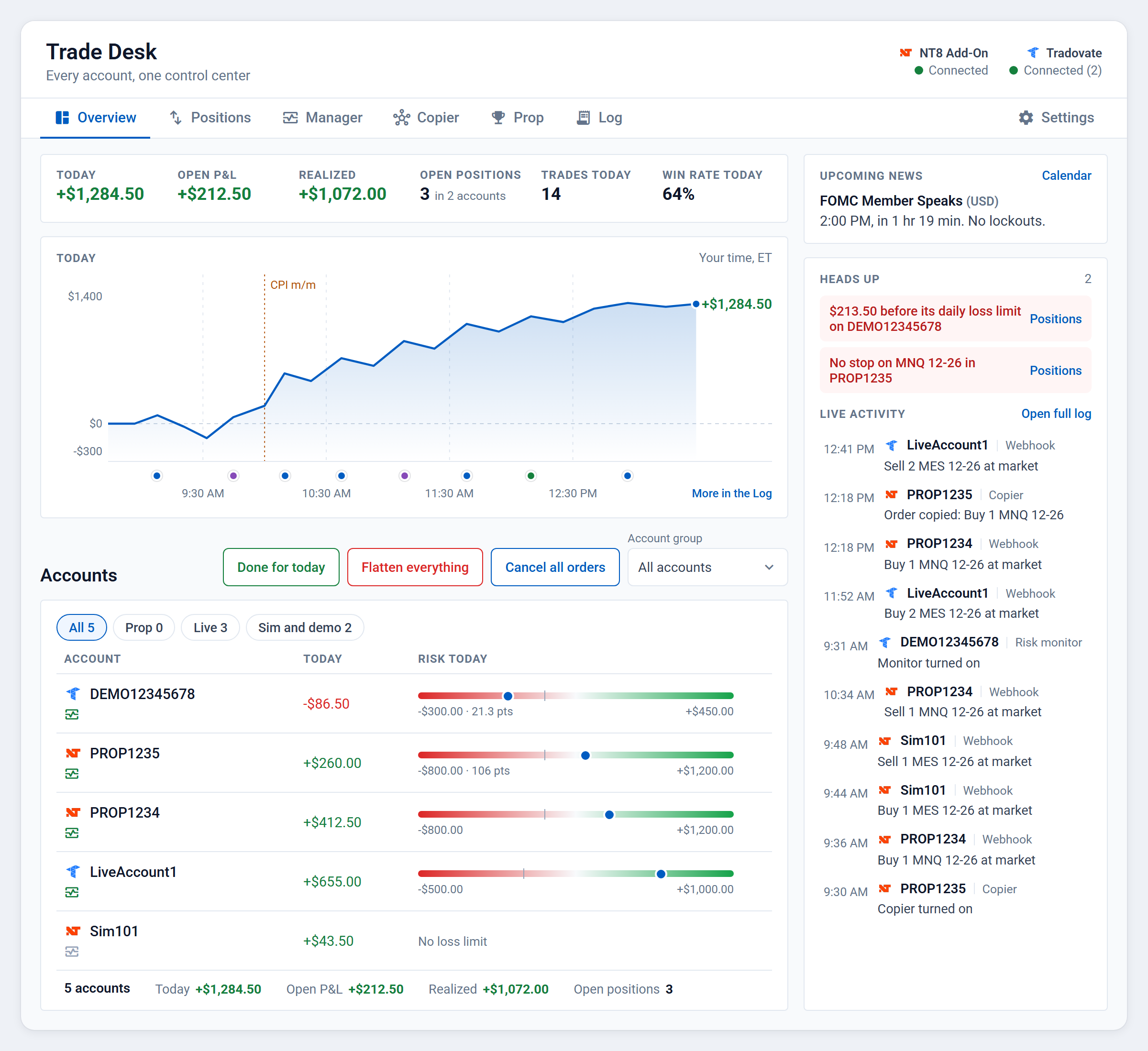
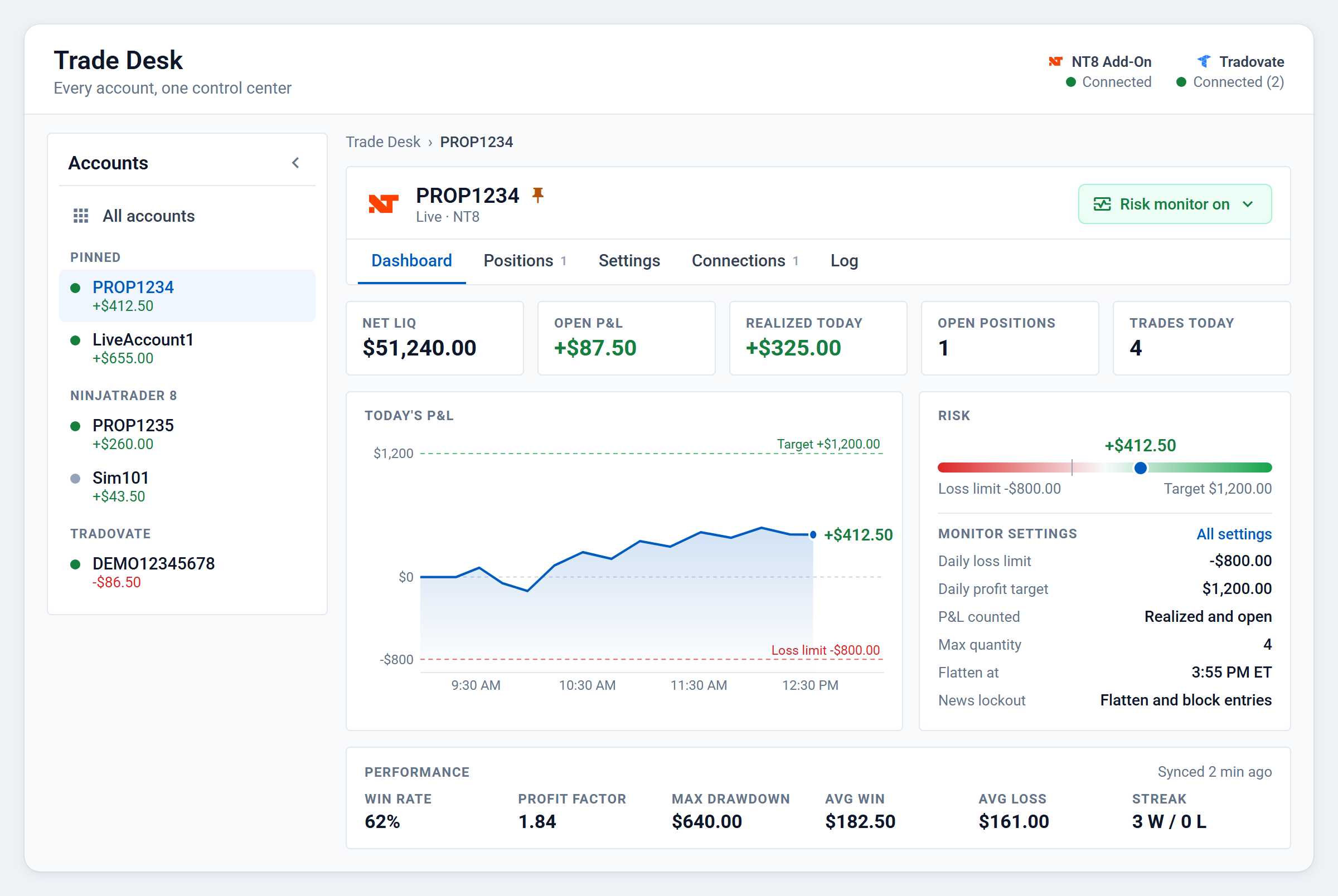
The Trade Desk is one screen for every trading account you run through CrossTrade. A live Overview shows the day across all of your NinjaTrader 8 and Tradovate accounts: total P&L, one P&L line for the session, each account's room before its loss limit, and a list of what needs you. Positions, the Account Manager, the Trade Copier and an activity log are tabs on the same page, and every account has a page of its own.
Which plans include the Trade Desk?
Every CrossTrade plan, Standard included, and every free trial. Two of its tabs are Pro tools: the Manager tab is the Account Manager and the Copier tab is the Trade Copier, both part of Pro and Elite. On Standard those two tabs carry a Pro mark, and the rest of the desk works on your plan.
Can I see NinjaTrader 8 and Tradovate accounts together?
Yes. NinjaTrader 8 and Tradovate accounts sit in the same tables and the same totals, each marked with its broker. NinjaTrader accounts come through the CrossTrade NT8 Add-on, which needs NinjaTrader running with the add-on connected. Tradovate accounts are read from CrossTrade's servers, with nothing running on your computer.
How do I flatten every account at once?
Press Flatten everything on the Overview. It cancels every working order and closes every position on every account you can see, after a confirmation that lists what will happen. Cancel all orders clears working orders and leaves positions open.
What does Done for today do?
It stops new entries through CrossTrade on every account until 6:00 PM Eastern, the end of the session. It does not flatten anything, and working orders stay. It blocks orders sent through CrossTrade only: orders placed by hand in NinjaTrader or on Tradovate, and a strategy already running inside NinjaTrader, are outside its reach.
Does the Trade Desk change my monitors or copiers?
No. The Manager and Copier tabs run the same risk monitors and copiers you already have, with the same switches. Opening the Trade Desk changes what you see, not what is set up.
Can I go back to the old pages?
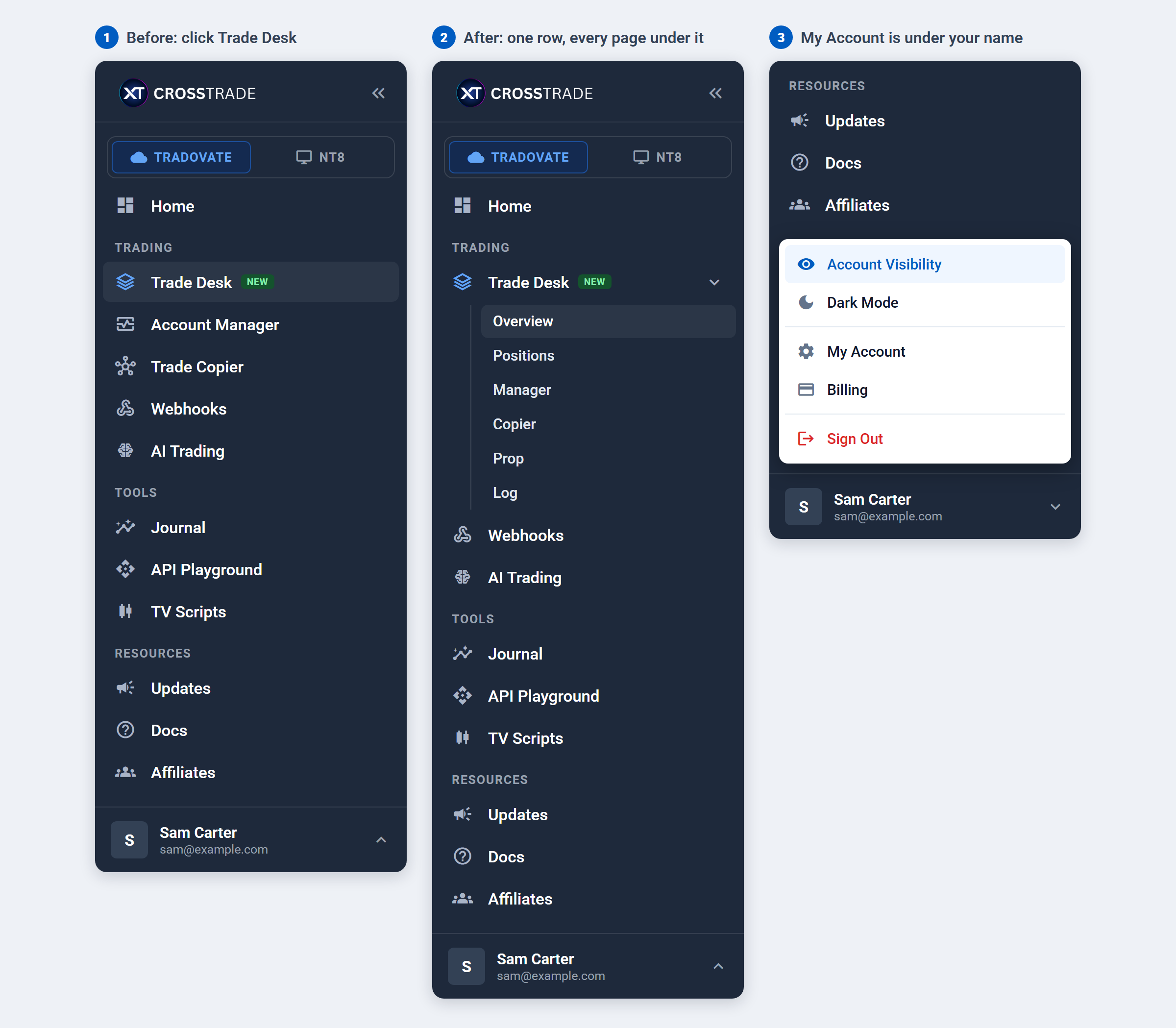
Yes. Open Settings on the Trade Desk and turn off Use the Trade Desk. The menu goes back to the Classic Account Manager and Trade Copier pages, and a link at the top of both brings you back whenever you want.
Is the Trade Desk useful for prop firm accounts?
It was built with them in mind. Evaluation, funded and personal accounts sit side by side with their P&L for the day and, when they have a risk monitor, the room left before the daily loss limit. Heads up names an account that is close to a limit while it holds a position. Check your firm's rules on automation and copying before you connect an account.